Top‑Up (Deposit) Flow
Use the 4‑step guided flow to top up your balance when you are ready for automatic paid delivery. You can also start it from Settings → Payments & Subscription by clicking Top‑up Balance or from the plan selector's inline top-up state.
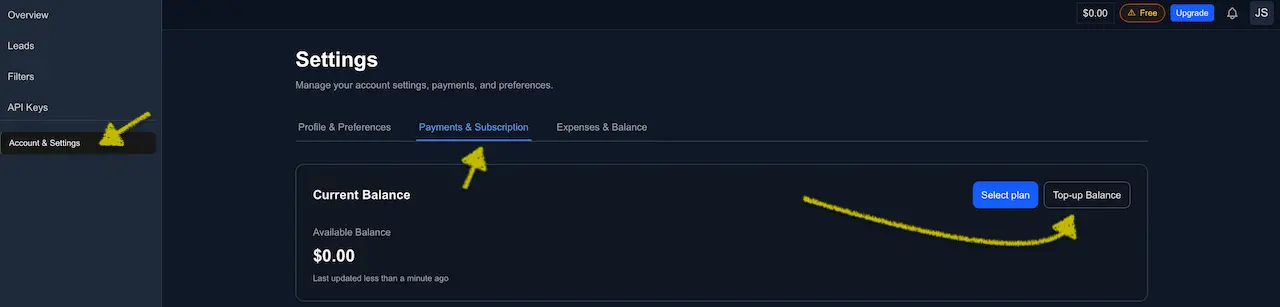
Before you start
- Claim and review today's free lead first if you are still validating data quality.
- Set Filters & Exceptions before funding automatic delivery so your paid leads match your target market.
- Export a sample or confirm your API/CRM workflow if automation is part of your process.
- Supported currencies: USDT and USDC.
- Supported networks: Ethereum (ERC‑20) and BNB Smart Chain (BEP‑20).
- Minimum deposit appears in‑app (10 USDT/USDC).
- Each confirmed deposit creates a combined Invoice + Receipt (PDF) — see Invoices & Receipts.
Only send the selected token on the selected chain (e.g., USDT on BSC or USDC on Ethereum). Using a mismatched network or asset can lead to loss of funds.
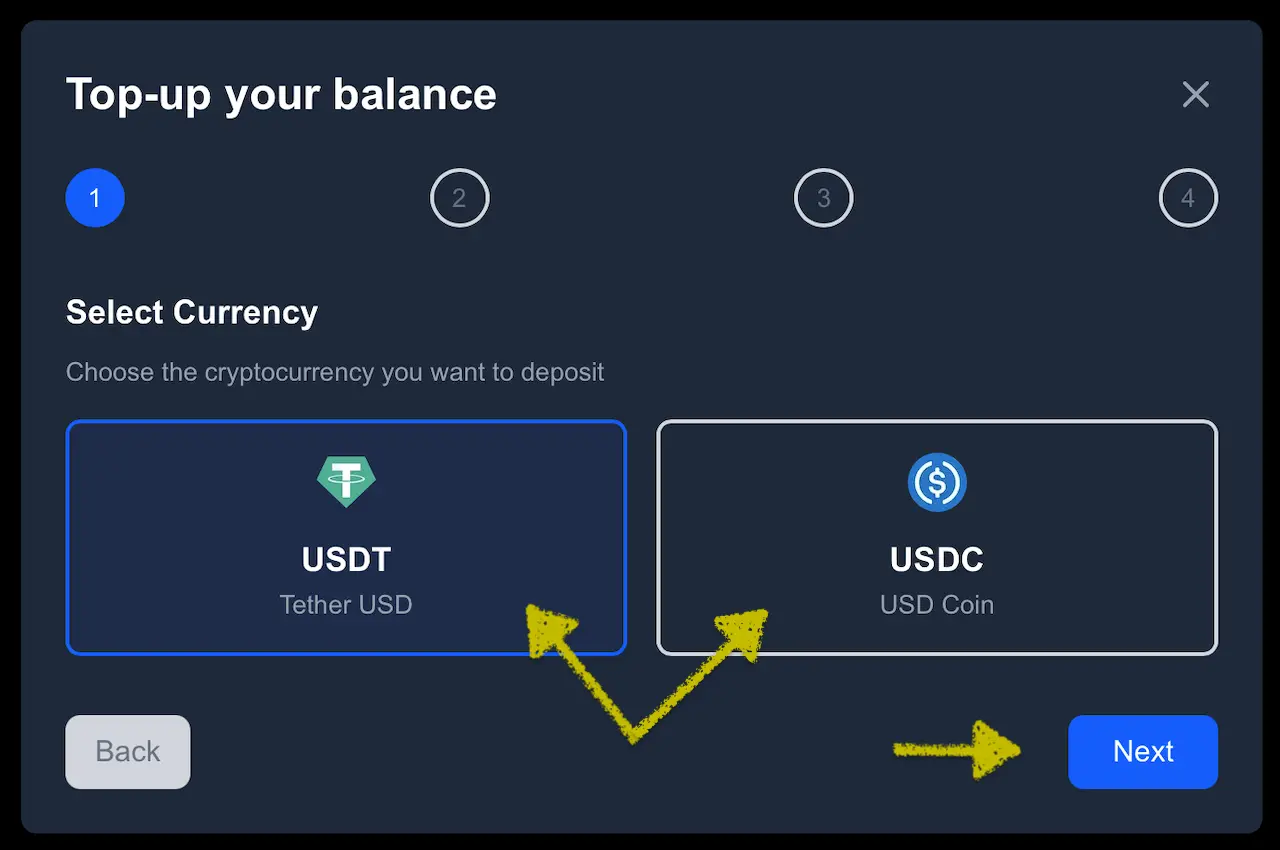
Step 1 — Select Currency
Choose USDT or USDC, then click Next.
Step 2 — Select Chain
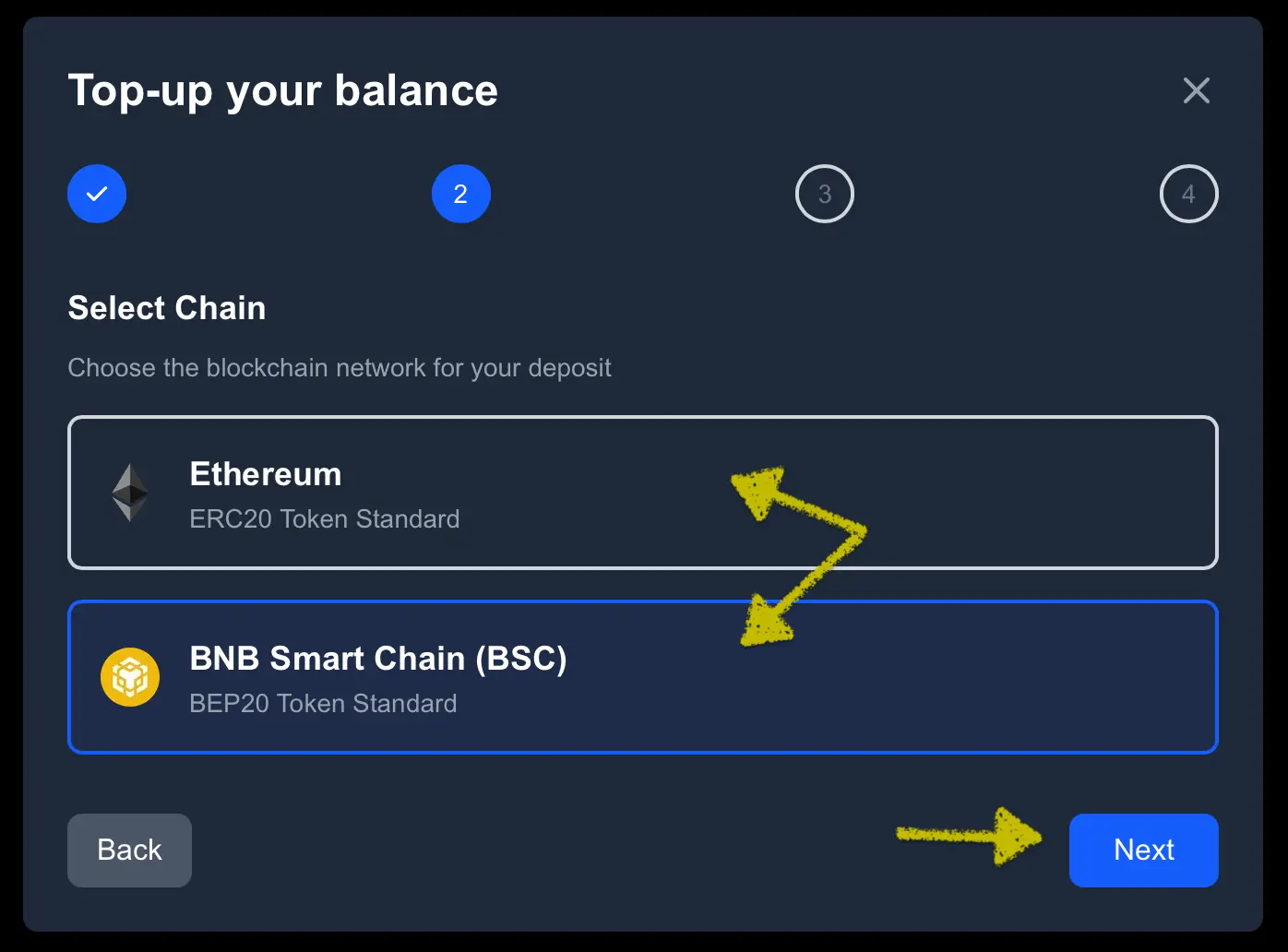
Pick Ethereum (ERC‑20) or BNB Smart Chain (BEP‑20) and click Next.
Step 3 — Confirm Selection
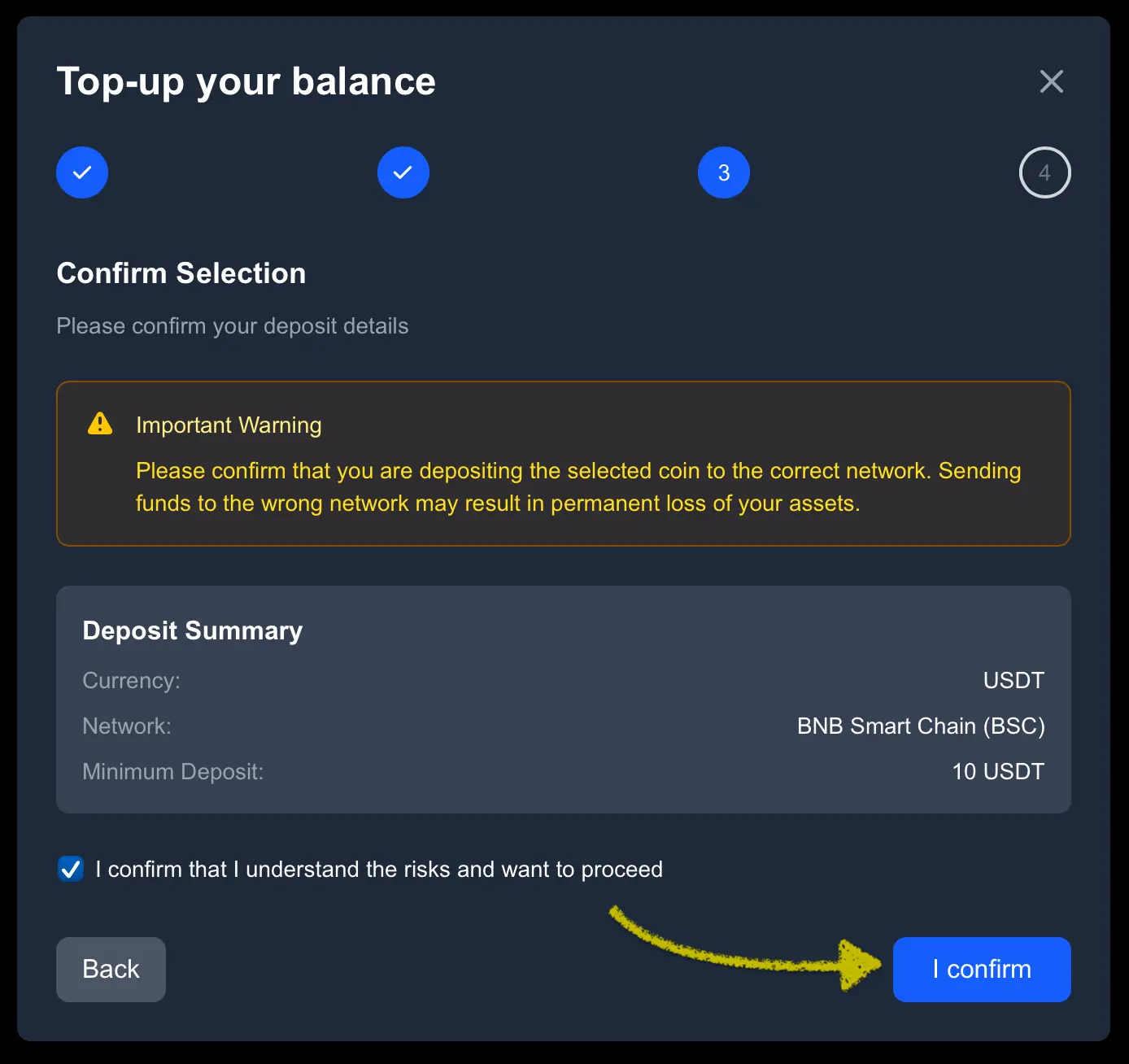
Review Currency, Network, and the Minimum deposit. Check the acknowledgment and click I confirm.
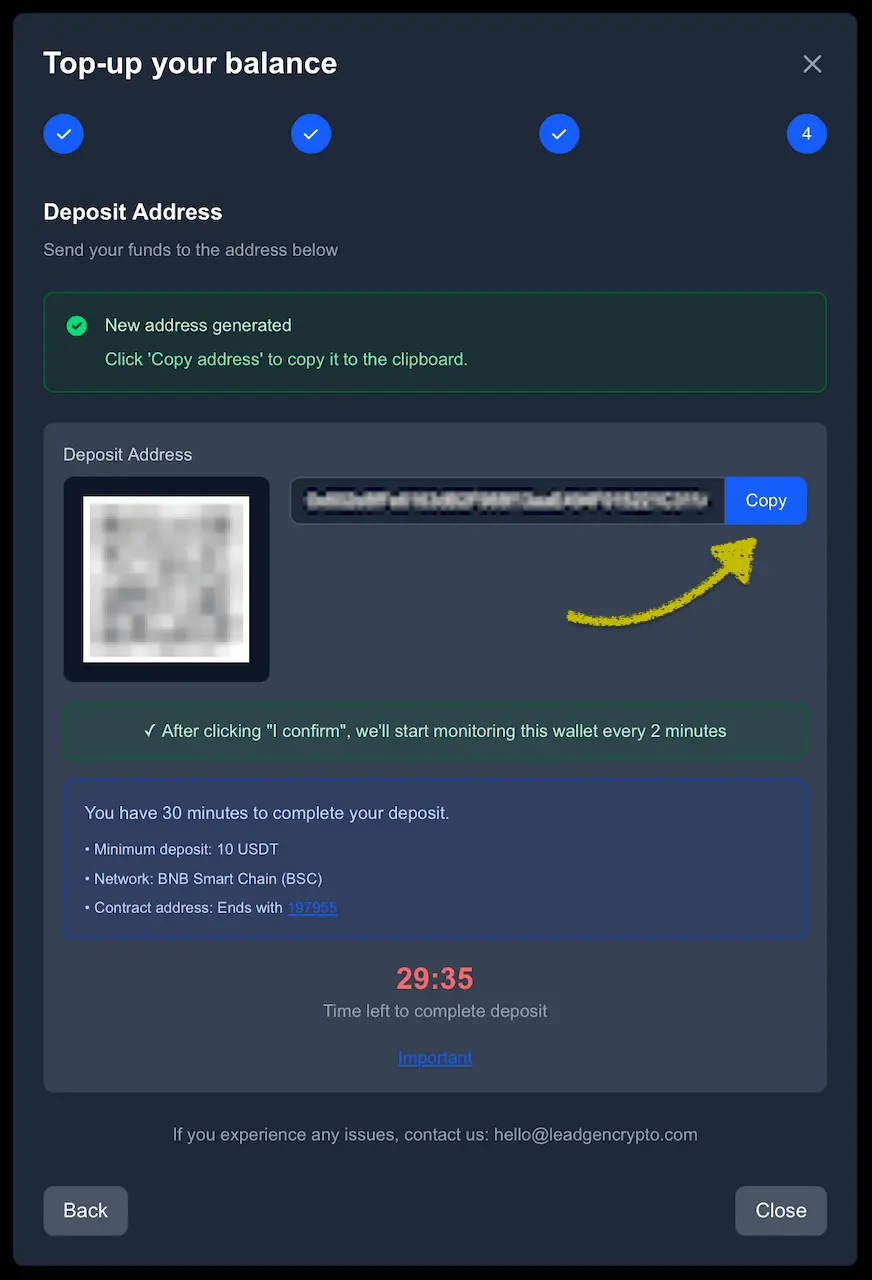
Step 4 — Deposit Address
After you click I confirm in Step 3, the platform generates a unique deposit address (0x…). Scan the QR code or click Copy to use the address, then send the selected token (USDT or USDC) on the exact chain you chose. Make sure the amount you send meets or exceeds the minimum $10.
For accounting consistency, credited balances are rounded to one‑tenth. Example: if you send 10.12 USDT (BEP‑20), your balance will show $10.1.
After you send
- We watch the chain and match your transaction (polling roughly every 2 minutes for ~30 minutes).
- Your balance updates after on‑chain confirmation and matching.
- A new row appears in Payments → Deposit History with a Download link for the combined Invoice/Receipt (PDF). If the link isn’t visible yet, the system is finalizing the mapping—refresh in a few minutes.
- You’ll also get an in‑app notification and an email confirmation.
- With funds added, you can upgrade your plan or confirm the plan selector state that originally asked you to top up.
Safety checklist
- ✅ Coin and network match exactly (USDT/USDC on the chosen chain)
- ✅ ≥ Minimum deposit
- ✅ Address matches your session address (use Copy or the QR)
- ✅ If the timer expires, start a fresh Top‑up session for a new monitored address
- ✅ Do not send via unsupported smart‑contract methods
Payments are non‑refundable, non‑transferable, and not withdrawable. Funds and promo credits can be spent only on leads delivered by LeadGenCrypto. See Refunds.
First‑day checklist
- Review today's free lead and tune filters before funding automatic delivery.
- Start a Top‑up and send a small test amount over 10 USDT when you are ready to scale.
- Wait for Deposit History to show the row and Invoice/Receipt download.
- Upgrade to a modest daily quota, usually Starter (2/day), to begin automatic delivery.
- Add (optionally) Billing Name & Address in Profile & Preferences so they appear on your PDFs.
Common states & what to do
- Wrong network or asset → Funds may not arrive. Open a new Top‑up session with the correct pair and contact your wallet/exchange for recovery options.
- Minimum not met → Send an additional deposit so the combined net meets the minimum; otherwise the system may not credit automatically.
- Timer expired before sending → Start a new session to get a fresh monitored address.
- Download not available yet → Matching is still in progress; refresh in a few minutes. If it persists, email hello@leadgencrypto.com with your tx hash and account email.
- Deposit confirmed but balance unchanged → Verify the asset and chain match Step 1/2; share the tx hash with support for investigation.
Power tips
- Keep a small buffer balance so deliveries aren’t interrupted while deposits confirm.
- If funding from an exchange, account for withdrawal fees to meet the minimum net amount.
Open the Top‑Up flow → https://dashboard.leadgencrypto.com/settings/profile?openTopUp=1