Plans — Upgrade, Downgrade, Refunds & Pause
LeadGenCrypto plans are defined by a daily lead quota (e.g., 2/day, 10/day, 50/day, or a custom value up to 1000/day). You can upgrade or downgrade at any time; changes take effect after you confirm. Paid delivery can be paused and resumed on demand.
Delivery interval is ≈ 24 h ÷ daily quota (e.g., 2/day → ~12 h between leads; 24/day → ~1 h). Each paid lead costs $0.50. Use the selector's Balance runway and inline top-up state before activating a plan.
Upgrade your plan
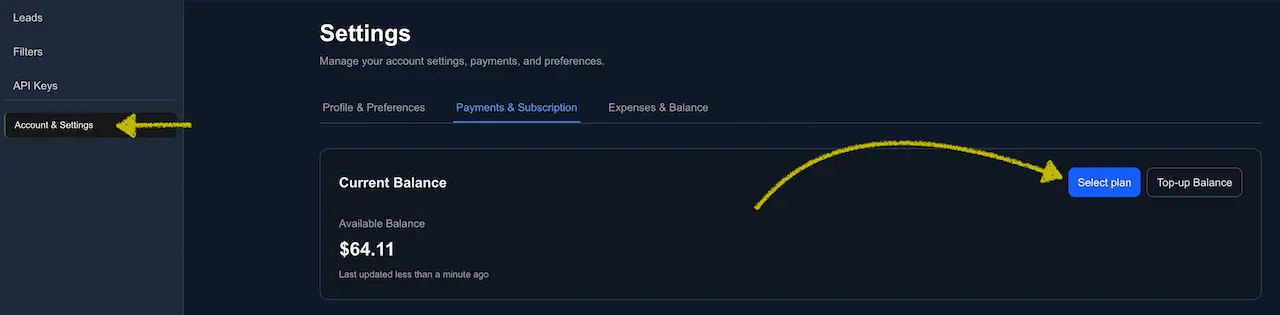
Open Settings → Payments & Subscription and click Select plan or Upgrade plan. You can also open the selector from the dashboard header or activation cockpit.
In the plan selector, choose a preset or use Custom:
- Starter — 2 leads/day.
- Growth — 10 leads/day.
- Scale — 50 leads/day.
- Custom — 2-1,000 leads/day.
If you already have a paid plan, the selector defaults to your current plan. Otherwise it defaults to Starter. Review Leads/day, Cost/day, Estimated 30 days, and Balance runway before you confirm.
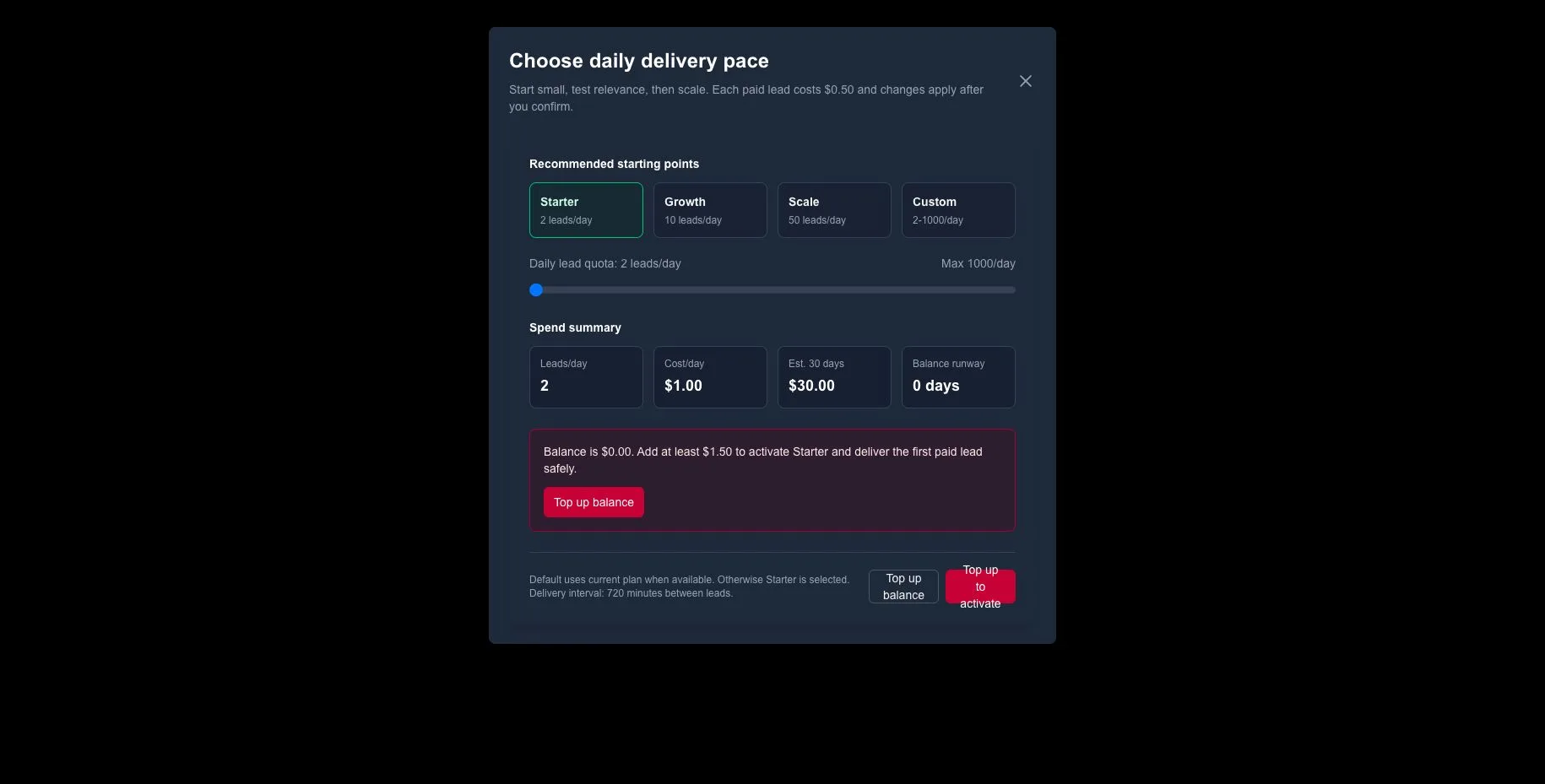
If balance is insufficient, the selector shows an inline top-up state.
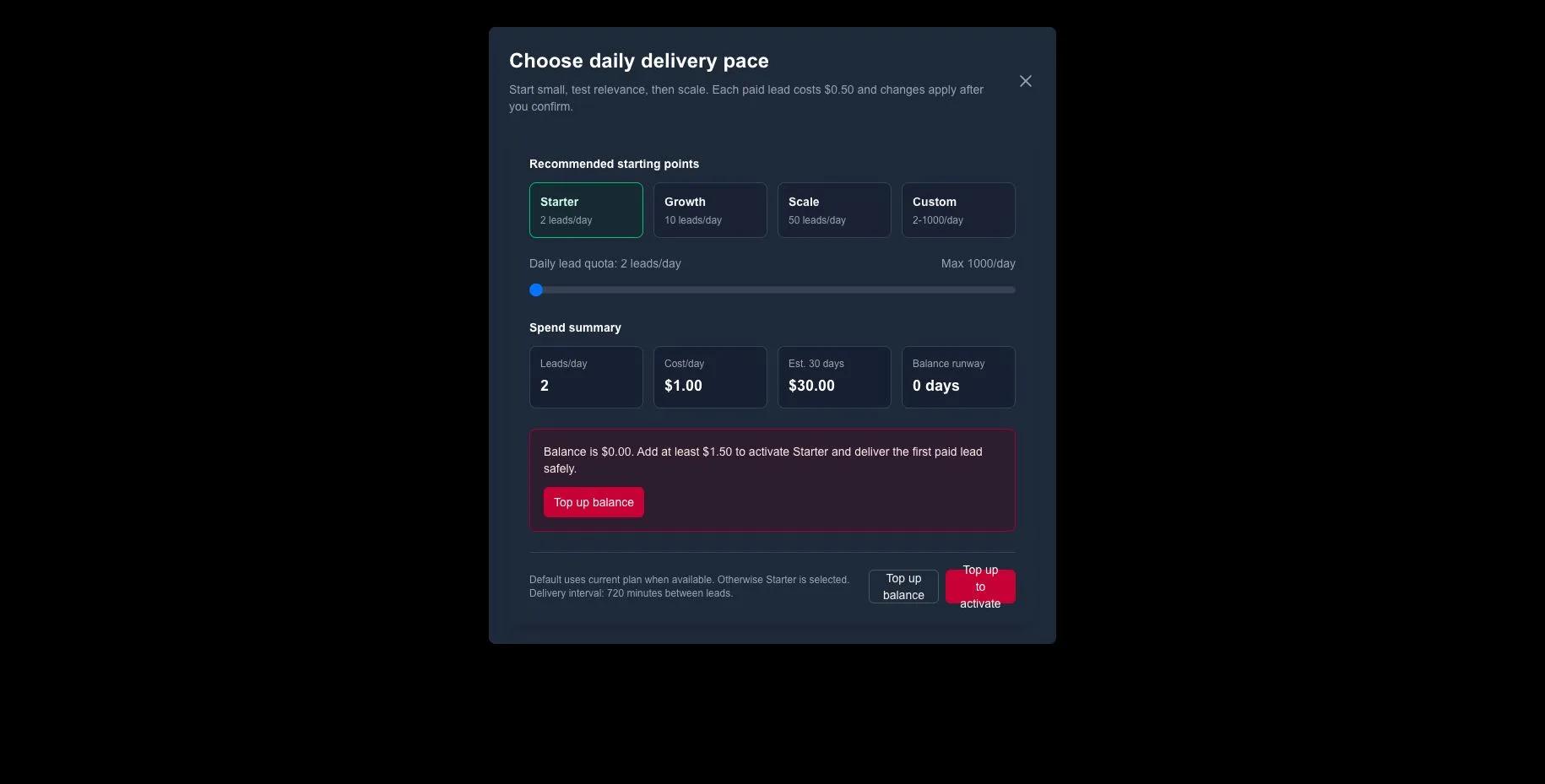
High-spend plans can require an additional confirmation step. Use it to re-check the daily cost and estimated 30-day spend before activation.
After confirmation you’ll see an in‑app notification (and email) that the plan is active.
Downgrade your plan
Repeat the same steps and choose a lower preset or smaller Custom quota (for example, from 50/day to Starter at 2/day). Downgrading reduces daily cost and increases the time between deliveries.
You can’t select the Free plan in the selector. If your balance drops below $0.50, the workspace automatically switches to Free (manual 1 free lead every 24 h). To conserve spend without going Free, either downgrade or pause temporarily.
Tip: Combine a smaller quota with Filters & Exceptions to keep only the most relevant leads flowing.
Pause delivery (Paid)
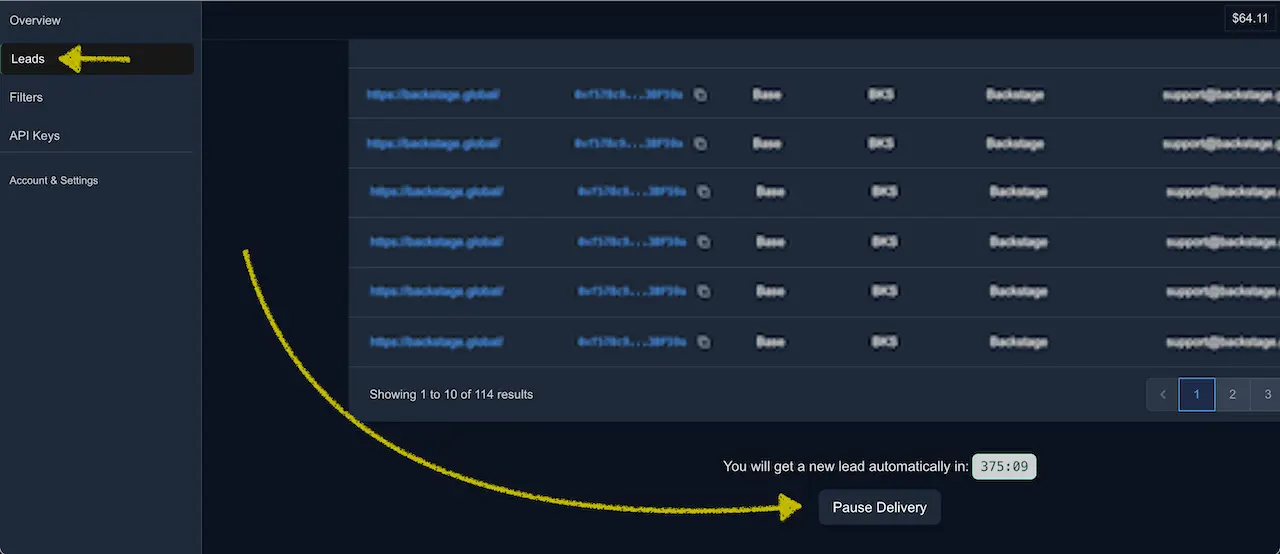
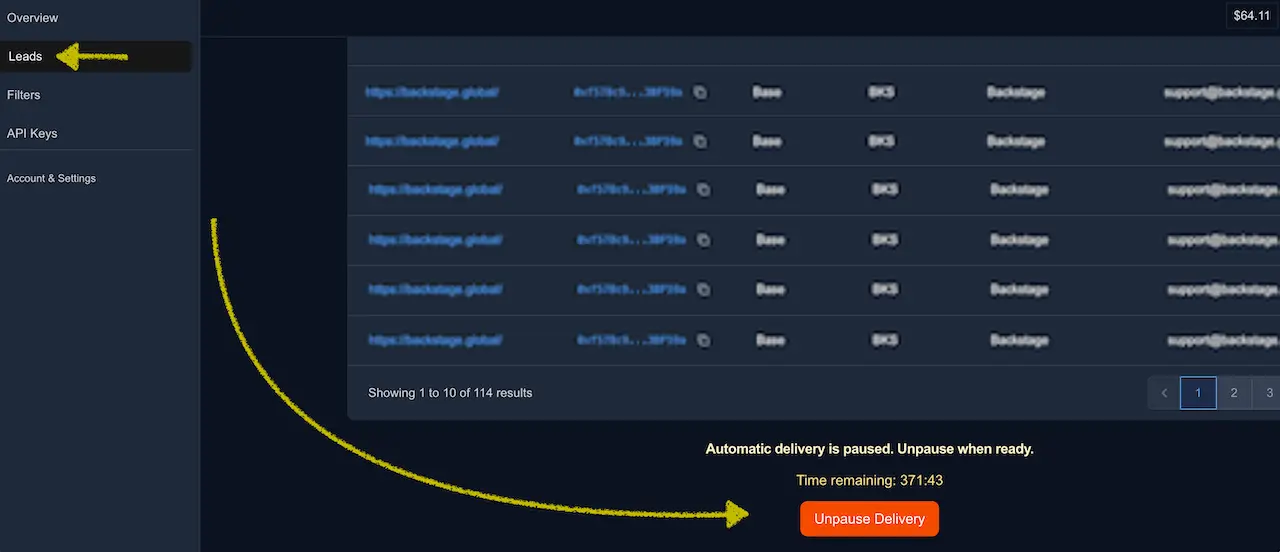
When you need a breather (CRM setup, outreach catch‑up), pause paid delivery on the Leads page. While paused, no paid leads are delivered and the countdown is frozen.
Resume when ready
Click Unpause Delivery on the same page to continue exactly where you left off.
Refunds & withdrawals
Payments are non‑refundable, non‑transferable, and not withdrawable. Balances and promo credits can be spent only on leads delivered by LeadGenCrypto.
First‑day checklist
- Review today's free lead and tune filters before funding automatic delivery.
- Use Select plan to set a starting daily quota, usually Starter (2/day).
- Confirm you have enough balance runway for the target plan; if not, Top‑up from the inline state.
- Open Leads and verify the countdown matches your new cadence.
- If you need to stop intake briefly, click Pause Delivery and resume later.
Common states & what to do
- Insufficient balance when selecting a plan → Use the selector's inline Top up balance state, then confirm the plan after funds arrive.
- Leads arrive too fast/slow → Adjust the daily quota; remember the 24 h ÷ quota rule of thumb.
- Accidentally upgraded too high → Immediately downgrade; charges only occur when leads are delivered.
- Need to halt spending → Use Pause Delivery; the timer freezes and resumes from the same point.
- Want to go Free → Let the balance fall below $0.50; the system switches to Free automatically (no paid deliveries).
Power tips
- Start with Starter, confirm CRM mappings, then scale up your quota.
- Watch Balance runway in the selector and Days of service left in Payments & Subscription to manage runway.
- Track actual spend vs. plan in Expenses & Balance.
- Use Notifications as a quick audit trail for plan changes and deposits.
- Open Payments & Subscription: https://dashboard.leadgencrypto.com/settings/payments
- Pause/Resume on Leads: https://dashboard.leadgencrypto.com/leads