How to Start
Welcome! This guide gets you from zero to first leads in minutes. It’s written for agencies, founders and sales teams that sell services to token‑based crypto projects.
Outcome in 10–15 minutes: create your account, review today's free lead, set your Filters & Exceptions, and decide whether to export manually, connect via API, or top up for automatic delivery.
Create your account
- Go to the sign‑up page.
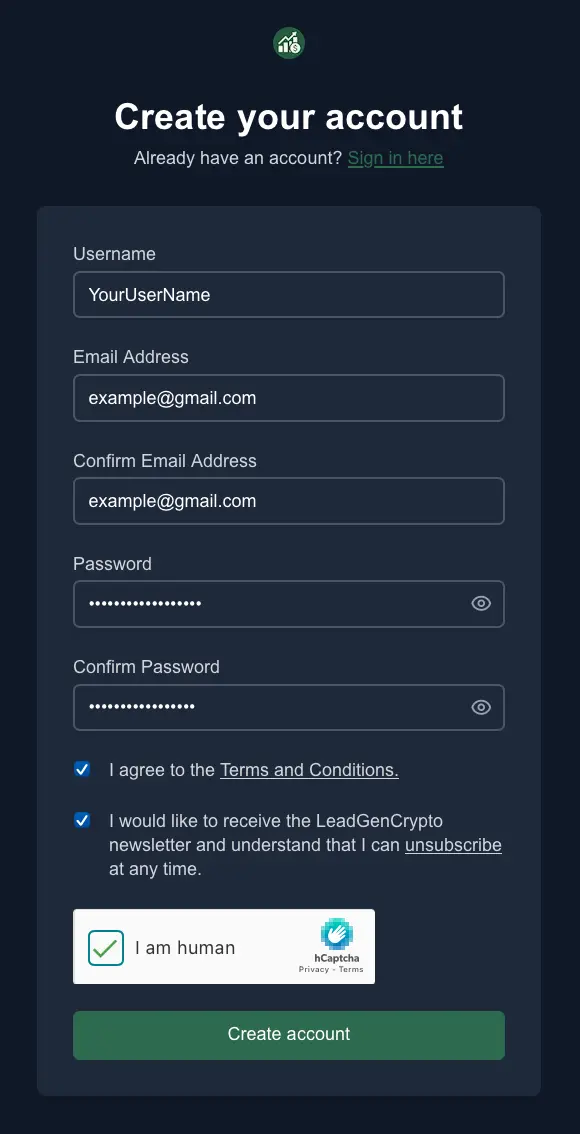
- Enter your Username (used as your login), Email, and Password. Complete any required checkboxes and the CAPTCHA, then click Create account.
- On the next screen, select what type of service you provide to crypto projects and how you heard about LeadGenCrypto, then click Finish.
- Open your inbox (check Spam/Promotions if needed) and click Verify your email in the message from LeadGenCrypto. Once verified, your registration is complete.
Tip: If the verification email hasn’t arrived after a few minutes, request a new link from the sign‑in page and add our domain to your allowlist.
Sign in
- Visit the sign-in page.
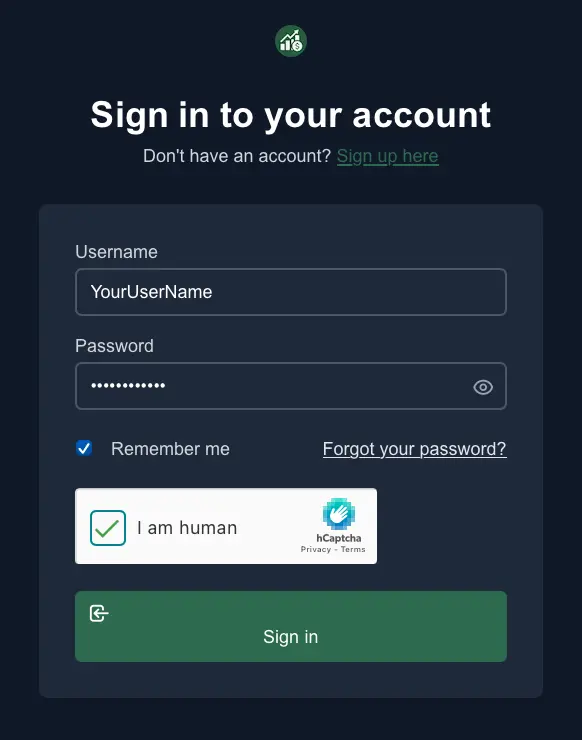
- Enter your Username and Password, complete any required checkbox/CAPTCHA, and click Sign in.
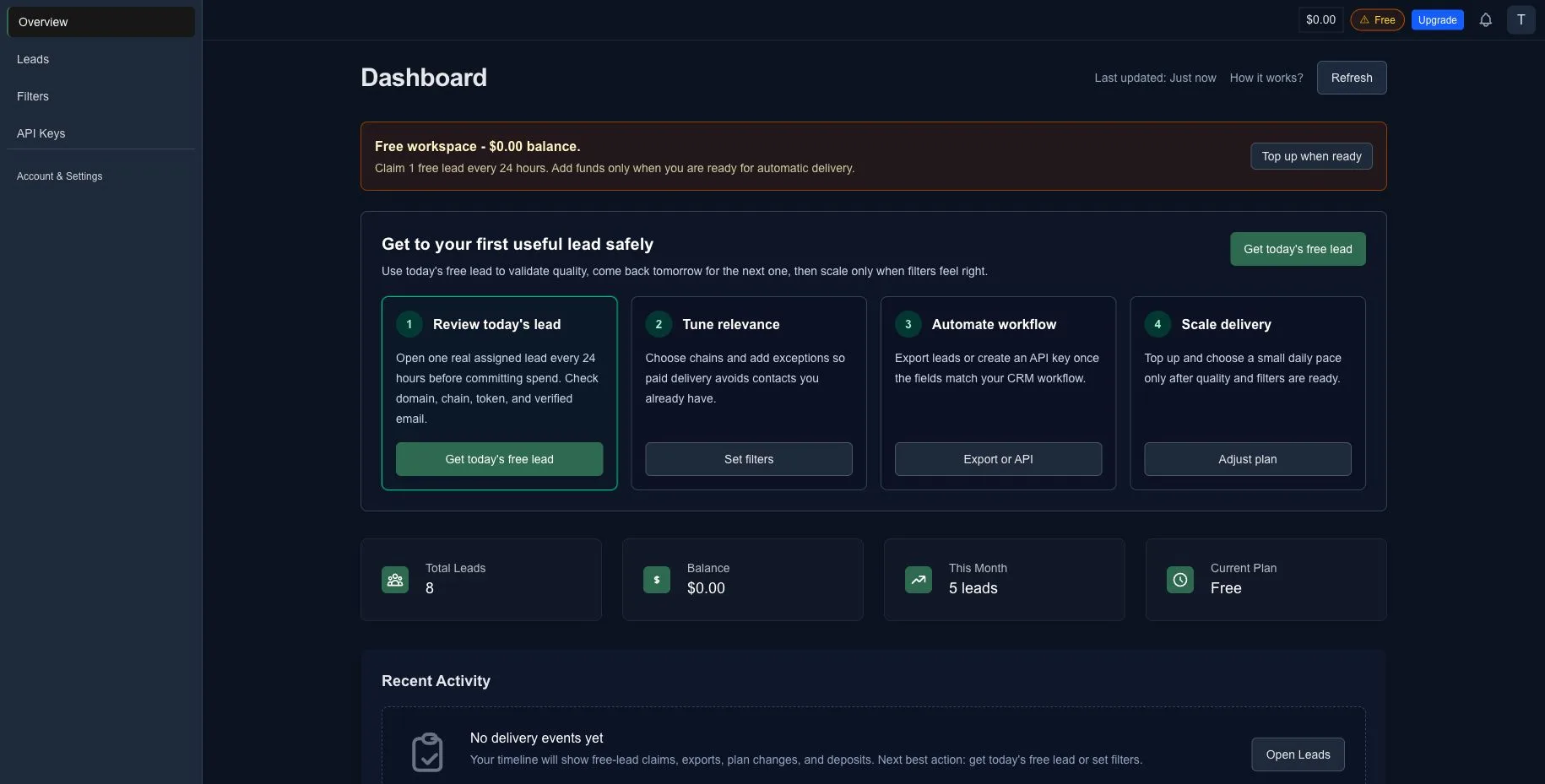
- You’ll land on Overview (Dashboard), where you can review today's lead, set filters, export or connect via API, and top up when you are ready to scale.
Review today's free lead
You can test data quality on the Free plan by claiming 1 free lead every 24 hours. Claim today's lead, review it, then come back tomorrow for the next one.
- From the Dashboard, click Get today's free lead in the activation cockpit.
- Your lead appears in the Leads table (website, token address, chain, symbol/name, emails, telegram). Use Export → CSV if you want to download it.
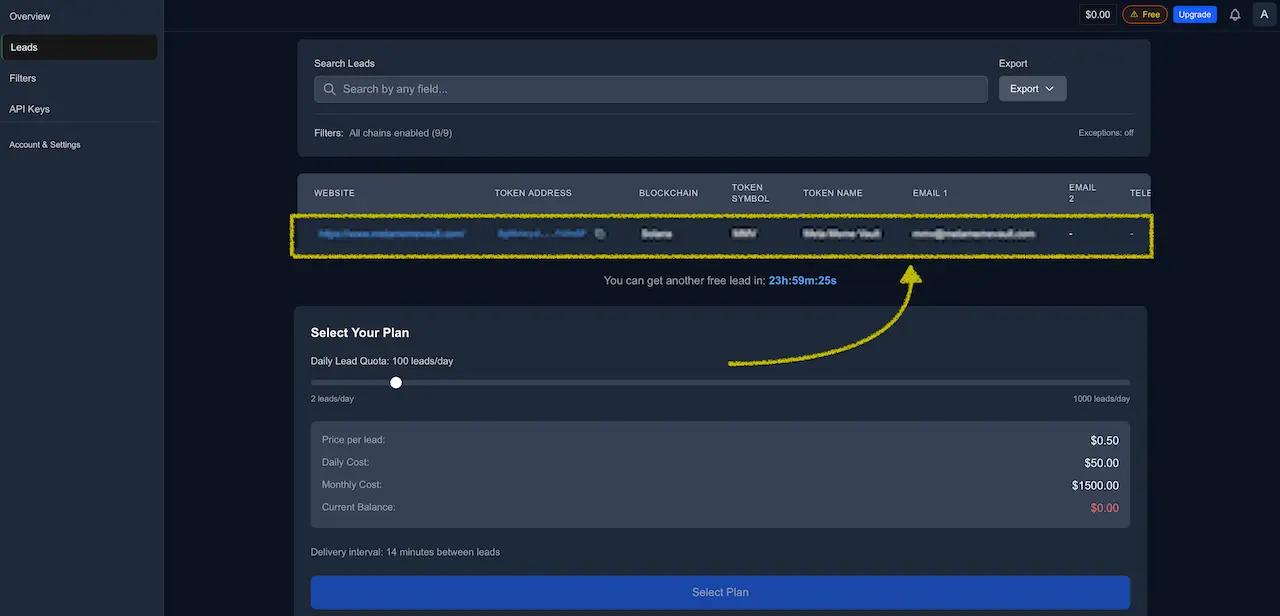
You can claim 1 free lead every 24 hours. To receive leads automatically (2–1,000 per day) and sync to your CRM via API, top up and choose a paid delivery pace when you are ready.
1) Get or review today's lead
Use the free daily lead to validate:
- Website and token metadata.
- Chain and token fit.
- Verified email or Telegram usefulness.
- Whether the lead looks like a project you would actually contact.
If you already claimed today's free lead, the app shows when the next one is available.
2) Set Filters & Exceptions
- Networks - toggle the chains you want to target. See Filters & Exceptions.
- Exceptions - paste or CSV upload emails and token URLs you do not want to receive. Up to 1000 entries per list by default.
- Apply vs Save - on Paid plans the change applies to future deliveries immediately; on Free it is saved and auto-applies after you upgrade.
Add your existing prospects to Exceptions so you only pay for net-new leads.
For your account, LeadGenCrypto will not re-deliver a lead that repeats the primary contact email or the token URL already delivered to you. Exceptions are for contacts you sourced elsewhere or want to suppress proactively.
3) Export leads or connect via API
Open Leads.
- Use Export → CSV when you want a quick manual sample.
- Create a key in API Keys when you want to sync into a CRM or internal tool.
- Use Public API endpoints
viewRecentLeads(last 24 h) andviewLatestLeads(withlimit). Respect your rate limits and minimum intervals.
4) Top up and choose a delivery pace
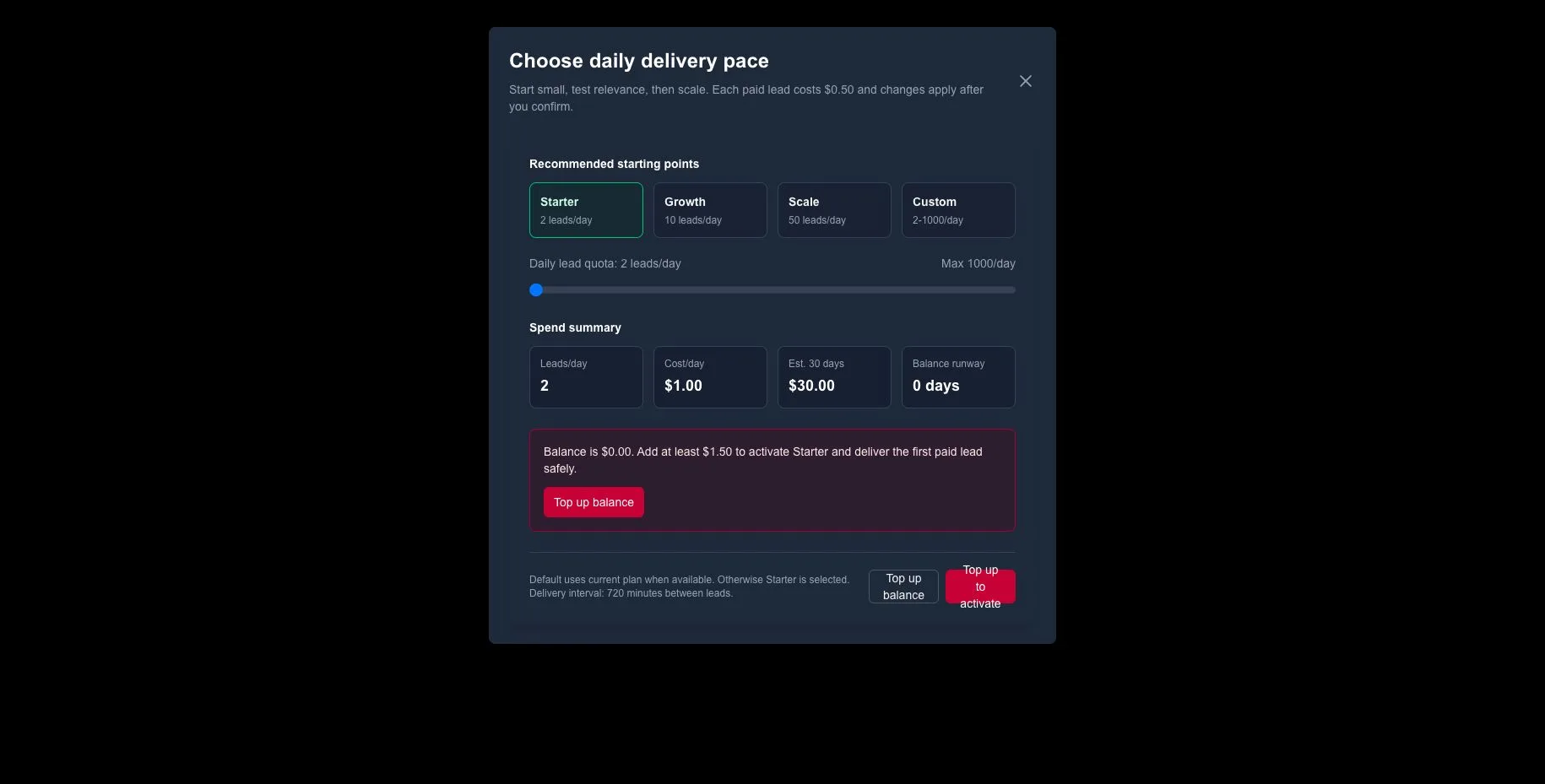
After you have checked lead quality and tuned filters, use the plan selector to automate delivery:
-
Starter - 2 leads/day.
-
Growth - 10 leads/day.
-
Scale - 50 leads/day.
-
Custom - 2-1,000 leads/day.
-
Follow the Top-Up (Deposit) Flow to add USDT or USDC on Ethereum or BSC.
-
Review the selector's spend summary: leads/day, cost/day, estimated 30 days, and balance runway.
-
If your balance is insufficient, use the inline top-up state before activation.
-
After confirmation your balance updates and a combined Invoice + Receipt (PDF) is available. See Payments & Subscription and Invoices & Receipts.
What success looks like
- Today's free lead reviewed before paid spend.
- Relevance tuned with Networks plus Exceptions.
- Export or API workflow validated.
- A steady pipeline of verified token projects through web and API when you choose to scale.
- Clean billing with downloadable invoices and a transparent ledger.
Next steps
- Learn the Leads page.
- Configure Filters & Exceptions.
- Generate API Keys and review the Public API.
- Manage billing in Payments & Subscription and Invoices & Receipts.