Gemini in Gmail for Web3 Cold Outreach: Prompt Playbook

Note: This guide is for agencies and service providers selling services to token-based crypto projects. It is not a guide for token issuers looking for investors or token buyers.
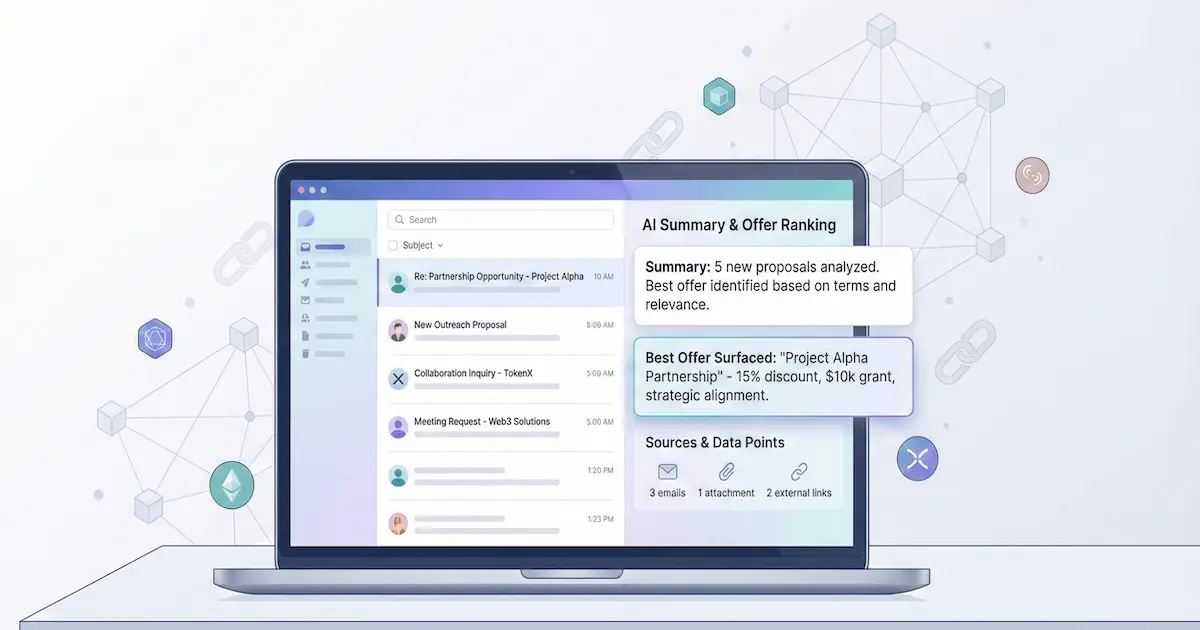
Gemini can speed up outreach writing in Gmail, but it can also expose weak positioning and vague emails. Use the prompt pack below to generate a tight research summary, a credible first line, a 90-word cold email, and safe follow-ups, then run the QA checklist before you send.
Jump to:
Key takeaways:
- Clarity wins twice, a founder can understand you faster, and an inbox assistant can summarize you accurately.
- Prompts are leverage, but only if you prevent hallucinations, avoid hype claims, and keep scope honest.
- Personalization should use real public signals, not long bios or empty compliments.
- Rewrite risky copy before sending, and cross-check against crypto outreach spam triggers.
- Better inputs produce better emails, start from a clean lead record, not a stale spreadsheet.
Gemini in Gmail is useful when your team writes a lot of outbound and you want faster first drafts, without losing accuracy or trust. For Google Workspace AI workflows across Docs, Gmail, and Meet, see the Workspace AI workflows for sellers that support service providers. For a broader set of AI workflows and guardrails (beyond Gmail), read AI in crypto marketing workflows. If you need the full outbound protocol (list prep, sequencing, and compliance tone), use the cold email step-by-step guide for service providers. For copy-level deliverability hygiene, keep the crypto outreach spam words list close while you iterate. To automate lead fetch with an AI agent, see connect OpenClaw or an AI agent to LeadGenCrypto.
Who this is for
This playbook is designed for teams selling services to token projects, and it assumes you already send email from Gmail.
- Agencies pitching marketing, PR, SEO, community, or growth retainers
- Vendors selling technical services like audits, integrations, or tooling
- Operators offering listings, liquidity support, or other exchange-adjacent services
It is not meant for fundraising outreach, token promotion to investors, or anything that resembles "find buyers for your token."
What to use Gemini in Gmail for (and what not to)
Gemini is best used as a drafting and rewriting assistant, not as a truth engine. In outreach, that means you should use it to improve speed and clarity, while you keep facts grounded and claims conservative.
Use Gemini for these outreach tasks
- Research compression, turn a messy website into a short project snapshot you can act on
- First-line drafting, generate two honest personalization lines based on public info
- Format enforcement, produce a short email that keeps the offer, proof, and CTA obvious
- Follow-up writing, create polite nudges and quick reply-handlers for common objections
- Risk reduction, rewrite copy to remove hype, pressure, and spam-trigger wording
Avoid Gemini for these risky behaviors
- Fabricating proof, never invent client names, past results, audits, or partnerships
- Guessing private data, do not infer identities, emails, or roles that are not public
- Producing spam volume, do not use AI to scale low-targeting outreach
- Pasting sensitive info, never paste credentials, API keys, private deal terms, or non-public CRM exports
If your prompt is vague, Gemini will fill the gaps with confident sounding guesses. Treat every output as a draft, then verify each claim against your own proof and the prospect's public footprint.
Why clarity matters in an AI-assisted inbox
Even when your email lands, a recipient may rely on summaries and quick answers to triage. A founder can ask their inbox assistant questions like this:
"Show me proposals related to market making or exchange listings."
An assistant will surface the most summarizable threads first, and vague emails will get summarized as noise.
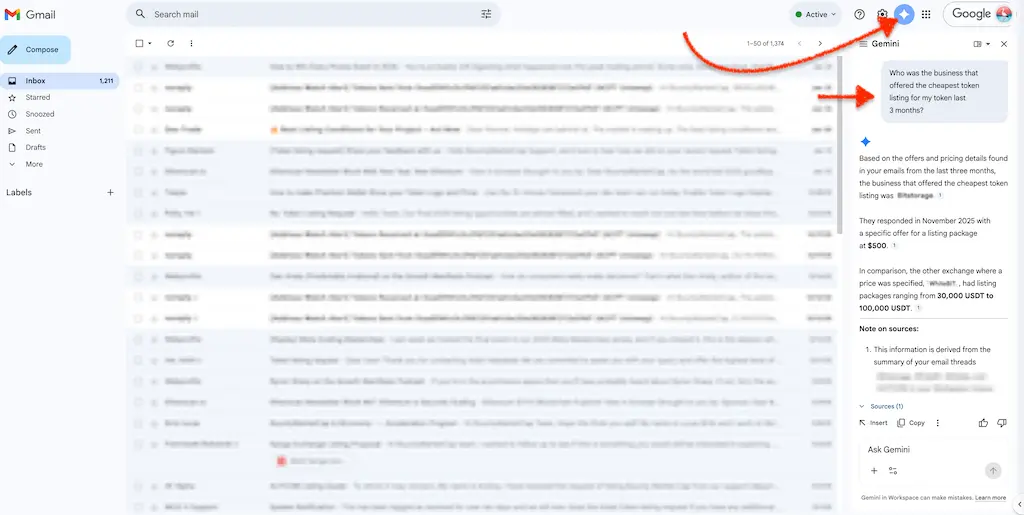
Write for clarity first, not for a specific mailbox provider. A concise, data-dense email works in a privacy inbox and in an AI-summarized one because it respects time and reduces scam suspicion.
Prompt pack: copy-paste Gemini prompts for outreach
All prompts below assume you have a minimal lead record.
Use only these placeholders in your drafts: {website}, {tokenAddress}, {blockchain}, {tokenSymbol}, {tokenName}, {tokenUrl}.
Prompt 1: Research summary prompt
Paste this into Gemini in Gmail when you have a new lead and need context fast.
You are helping me prepare a cold outreach email as a B2B service provider.
Summarize this token project using only the information I provide or that is clearly public on the official site.

Lead record:
- Project site: `{website}`
- Chain: `{blockchain}`
- Name: `{tokenName}`
- Symbol: `{tokenSymbol}`
- Address: `{tokenAddress}`
- URL: `{tokenUrl}`

Output rules:
- Return a concise bullet list
- Each bullet starts with a different verb
- Mark anything uncertain as "unknown"
- Do not guess metrics, users, revenue, partners, or funding
Prompt 2: Two credible first lines (no fluff)
Use this when you want personalization that is short and fact-based.
Write 2 possible opening lines for a cold email to `{tokenName}`.

Constraints:
- Base the line on the lead record and public site context, no guessing
- Avoid compliments and generic hype
- Keep each line short enough for a preview snippet
- Mention only one concrete detail per line

Lead record:
- Project site: `{website}`
- Reference URL: `{tokenUrl}`
- Chain: `{blockchain}`
- Symbol: `{tokenSymbol}`
Prompt 3: 90-word cold email using the AI-parsable structure
Use this when you want Gemini to generate a short email you can edit and send.
Draft a cold email from a service provider to a token project.

Inputs I will provide after this message:
- Service offer (one sentence)
- Proof point (one sentence, must be real)
- Pricing model or range (one sentence, optional)

Use this structure and keep each part to one short line:
1) Context line referencing `{tokenName}` or `{tokenSymbol}`
2) Offer line in plain English
3) Proof line (if proof is unknown, write "proof available")
4) Value line (deliverable + timeline, add pricing only if provided)
5) Ask line with a micro yes question
6) Opt-out line that makes it easy to say "not a fit"

Hard constraints:
- Max 90 words total
- No hype, no pressure, no promises of returns
- Do not invent facts about `{tokenName}`
Prompt 4: Follow-up that adds one new detail
Use this for your first follow-up when the prospect did not reply.
Write a single follow-up email to my previous message.

Rules:
- Add exactly one new detail (a proof point, a deliverable, or a quick checklist item)
- Keep it short and skimmable
- End with a yes or no question
- Include an opt-out line
Prompt 5: Objection handling reply (pick one)
Use this when a prospect replies with a short objection.
Write reply options labeled A, B, and C to this prospect objection: "<PASTE OBJECTION HERE>"

Constraints:
- Pricing reply handles "send pricing" without a long proposal
- Vendor reply handles "we already have a vendor" politely
- Timing reply handles "not now" and sets a simple re-contact permission
- Keep each option short enough to skim
- Avoid pressure, avoid hype, avoid invented proof
Prompt 6: Rewrite to reduce spam triggers and scam signals
Use this when your draft sounds like a promo, airdrop pitch, or anything scam-adjacent.
Rewrite my cold email so it sounds legitimate and avoids spam triggers common in crypto outreach.

Rules:
- Remove or replace hype words, urgency, and anything that sounds like guaranteed results
- Keep the offer specific and the CTA simple
- Preserve factual claims, but flag any claim that seems unverifiable as "needs confirmation"
- Return two versions: "Cleaner" and "Most conservative"

Email draft:
"""
<PASTE EMAIL HERE>
"""
Prompt output format: the AI-parsable 6-line structure
This structure is useful even if you never send the exact six lines. It forces Gemini to put the highest-signal info where a human, and an assistant summary, can find it fast.
1. Context
Start with the trigger, then move on.
- Example: "Noticed
{tokenSymbol}activity on{blockchain}and wanted to share a quick idea."
2. Offer
Say what you do in plain English.
- Example: "We help token teams with exchange listing intros and negotiation."
3. Proof
Share a real trust cue, or be explicit that you will send proof on request.
- Example: "Happy to share a relevant case study if helpful."
4. Value
Put the deliverable and timeline in one line, and include a pricing model only if you can stand behind it.
- Example: "Deliverable is a short plan plus execution steps, timeline and pricing available by reply."
5. Ask
Use a micro yes CTA so the next step is easy to answer in one tap.
- Example: "Want me to send the checklist?"
6. Low-friction out
Make it safe to say no, which improves reply quality and reduces spam complaints.
- Example: "If this is not relevant, tell me and I will close the loop."
The one-sentence summary rule
Before sending, paste your draft back into Gemini and ask for a one-sentence summary of the offer, the value, and the ask. If the summary is vague, the email is vague.
Safe TL;DR example:
TL;DR: We help
{tokenName}with a specific service. Reply with your priority, and I will send a short plan.
Comparing old vs. new outreach
| Feature | Old "Human-Only" Outreach | New "AI-Parsable" Outreach |
|---|---|---|
| Opening | "Hope this email finds you well!" | "Noticed {tokenName} on {blockchain}." |
| Offer | "We help projects unlock their potential." | "We provide a specific service in plain English." |
| Proof | "Attached PDF case study." | "One credible proof point inside the email body." |
| Pricing | "Let's hop on a call to discuss." | "A shareable range or pricing model, if you can." |
| CTA | "When are you free for a demo?" | "A micro yes question with a clear next step." |
| AI Result | Summary: "Vendor wants a meeting." | Summary: "Vendor offers a clear service with a clear ask." |
Gemini in Gmail • Prompt Prep
Prep your inputs before you prompt
Strong prompts start with clean, consistent lead fields. Keep this mini checklist nearby so you do not ask Gemini to guess.
- Capture
{website}and confirm it matches the official project site - Record
{blockchain}plus{tokenAddress}so chain context is unambiguous - Store
{tokenName}and{tokenSymbol}so your first line is consistent - Include
{tokenUrl}as a reference link for the recipient if needed
Live examples: AI-parsable templates for crypto services
Use these as starting points, then adapt the offer and proof to your own service.
Each template uses {tokenName}, {tokenSymbol}, and {blockchain} so your first lines are easy to personalize safely.
Template 1: The listing support vendor
Goal: Start a conversation about exchange listing introductions and process support.
Subject: Exchange listing support for `{tokenSymbol}`

Hi `{tokenName}` team, I noticed `{tokenSymbol}` activity on `{blockchain}`.

We help token teams with exchange listing introductions, process guidance, and fee negotiation support.

If you share your target exchanges, I can reply with:
- a realistic fee range and common requirements
- the fastest path (intro vs direct application)
- a short checklist your team can use internally

Worth a quick fit check this week?

Best,
Your name
Why this is summarizable:
- Offer line is explicit and written in plain language.
- CTA is a micro yes question that is easy to answer.
- Deliverables are a short scannable list.
Template 2: The market making vendor
Goal: Offer liquidity support without making performance promises.
Subject: Liquidity support for `{tokenSymbol}`

Hi `{tokenName}` team, I saw unstable spreads on `{tokenSymbol}` recently.

We help Web3 teams stabilize liquidity and tighten spreads using an algorithmic market making approach.

Typical scope includes:
- a clear retainer structure
- transparent reporting on agreed metrics
- an easy stop rule if it is not a fit

Open to a short simulation and a one-page plan?

Best,
Your name
Why this is summarizable:
- Scope is a short list, not a paragraph.
- Language avoids guarantees and price bait.
Template 3: The marketing agency (KOL and newsletter ops)
Goal: Pitch distribution and campaign ops without sounding like a pump.
Subject: KOL and newsletter ops for `{tokenName}`

Hi `{tokenName}` team, I am reaching out based on what I saw on `{website}`.

We plan and manage KOL and newsletter outreach for token launches and growth campaigns.

Scope usually includes:
- shortlist building and outreach management
- content briefs plus publishing coordination
- simple tracking so you can see what went live

TL;DR: Campaign ops and distribution help, with clear scope and tracking.

Want me to send a sample plan for `{tokenSymbol}`?

Best,
Your name
Why this is summarizable:
- TL;DR line helps an assistant extract the point of the email quickly.
- Ask is specific and low friction.
QA checklist before you send
Use this checklist after Gemini generates a draft, and before you load a sequence.
- Accuracy: Verify every claim against your own proof and the prospect's public site
- Personalization: Confirm the first line is based on
{website}or{tokenUrl}, not guesswork - Placeholders: Ensure
{tokenName},{tokenSymbol}, and{blockchain}are correct and consistently formatted - Tone: Remove hype language and any implied promises of returns or guaranteed outcomes
- Spam risk: Run the copy through the spam-trigger rewrite prompt, then compare to the spam words list
- CTA: Keep the ask binary, and avoid asking for a long call as the first step
- Opt-out: Include a simple exit line so uninterested teams can respond cleanly
Where LeadGenCrypto fits
Gemini outputs improve when your inputs are consistent.
A clean lead record with {website}, {tokenUrl}, {tokenAddress}, {blockchain}, {tokenName}, and {tokenSymbol} gives you enough context to draft relevant outreach without guessing.
If you want to practice AI-assisted personalization with real token-project contact data, start with one free lead:
- Get a free lead and use it as your prompt input for Gemini.
LeadGenCrypto • Updates & Playbooks
Crypto sales insights in your inbox
Get timely updates, practical sales advice, and useful resources for teams selling services to crypto projects. Delivered straight to your inbox, no fluff.
- Quick summaries of our latest articles so you can skim and share with your team
- Actionable ideas to boost sales, from cold email to follow-ups and closing
- Guides, templates, and benchmarks you can plug into outreach this week
- No hype. Unsubscribe anytime with one click.