How to Test Email Deliverability with Mail-Tester (Web3 Outreach)


Note: This walkthrough is for agencies and service providers selling services to token-based crypto projects. It is not a guide for token issuers looking for investors or token buyers.
Before you scale cold email to founders and Web3 operators, run a deliverability test on the exact message you plan to send. Otherwise you can spend hours on targeting and copy, then lose the whole batch to spam filters or silent clipping.
This guide shows you how to use the free spam checker Mail-Tester to run a test, read the report, and apply fixes in the right order. For deeper setup help, see our technical pillar on SPF, DKIM, and DMARC for crypto outreach.
Who this is for
- Agencies selling marketing, PR, SEO, audit, dev, listing, or tooling services to token projects
- Freelancers doing outbound for a Web3 services offer
- Growth teams that need a fast deliverability QA step before scaling volume
What Mail-Tester checks (in plain terms)
Mail-Tester generates a one-time inbox and scores the email you send it. The report is not a guarantee of inbox placement, but it is a practical pre-flight check before you expose a domain to higher send volume.
- Authentication, checks whether SPF, DKIM, and DMARC are present and aligned
- Content signals, evaluates headers, formatting, HTML vs text balance, and common spam-rule patterns
- Reputation clues, scans common blocklists and flags risky link and domain patterns
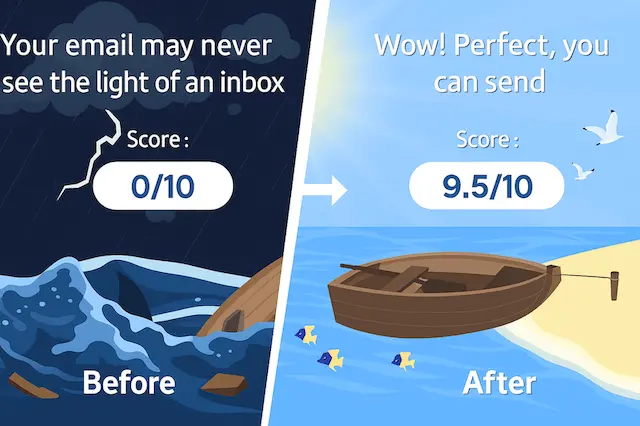
Step-by-step: run a test
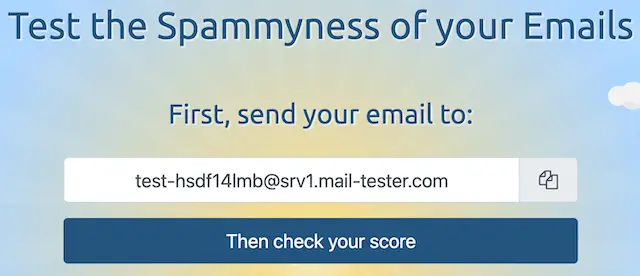
- Visit Mail-Tester and copy the disposable test address.
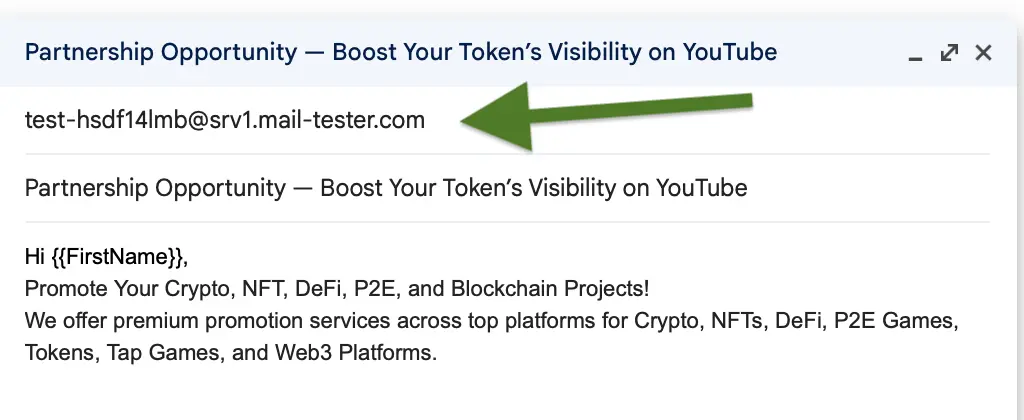
- Send your real outreach email from the mailbox and domain you plan to use in production.
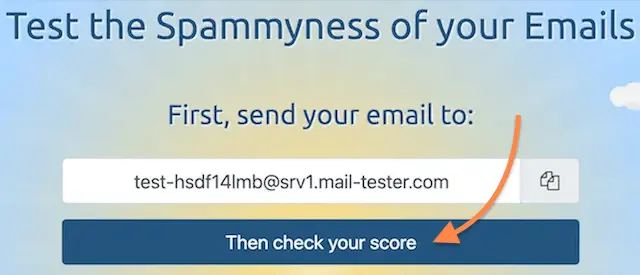
- Return to the Mail-Tester tab and click "Then check your score" to open the report.
- Save the report link and capture the red and orange items as tasks.
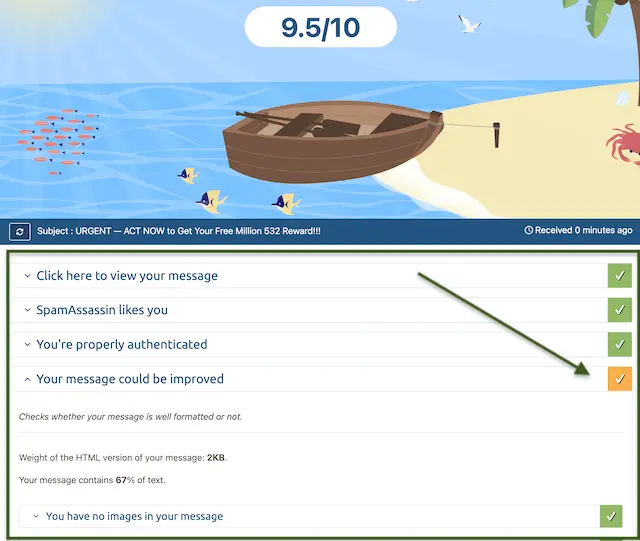
How to interpret each section of the report
Mail-Tester reports are easiest to read in the same order most filters evaluate email.
Start with the overall score
Use the score as triage, not as a vanity metric. As a practical rule, investigate anything under 8/10 before you send at scale, and treat 10/10 as "no obvious blockers found" rather than a promise.
Check authentication first
If SPF, DKIM, or DMARC fails, fix that before rewriting copy. In crypto outreach, authentication is also a trust signal for scam-sensitive recipients.
For the full setup and testing workflow, use: Email deliverability setup for crypto outreach (SPF, DKIM, DMARC).
Review SpamAssassin and content flags
Mail-Tester highlights rules that add or subtract points. Focus on the big penalties first, for example missing text parts, suspicious link patterns, or spammy phrasing.
If the report flags wording risks, cross-check your draft against our list of spam words to avoid in crypto outreach.
Scan links and formatting
A few common issues show up here:
- URL shorteners, shared short domains can inherit a bad reputation from other senders
- Tracking links, mismatched tracking domains can look suspicious if they do not align with your sending domain
- Heavy HTML, emails that look like a promo blast can trigger extra scrutiny
Look for blocklist and reputation warnings
If Mail-Tester shows a blocklist hit, treat it as urgent. Pause new outreach, investigate the root cause, and start the delisting process for the specific list mentioned in the report.
Fixes by issue type
Use this section as a fix map after you run your first test.
Fix priority order
- Repair authentication failures first, SPF, DKIM, and DMARC must pass before you tune copy.
- Reduce bounce risk next, validate addresses before deliverability testing, remove obvious bad targets, and do not send to unverified addresses.
- Replace risky links after that, avoid shorteners and keep links consistent with your domain.
- Rewrite flagged phrases next, keep language specific and avoid hype or pressure.
- Rebalance formatting last, aim for a simple plain-text style with minimal HTML.
DNS and authentication issues
- SPF problems, remove duplicate SPF records and ensure all sending services are included in one policy
- DKIM failures, confirm the selector exists in DNS and matches the sending mailbox or ESP
- DMARC misalignment, verify domain alignment and start with a monitoring policy before tightening
If you need a step-by-step checklist, follow the SPF, DKIM, DMARC framework rather than guessing.
Content and structure issues
- Subject line risk, use specific, professional language and avoid urgency and money claims
- Link overload, keep links to one or two relevant destinations and avoid unrelated domains
- Missing text version, include a plain-text alternative when you send HTML emails
For copy cleanup, the fastest win is to use the crypto outreach spam words guide as a rewrite checklist.
Server reputation issues
- Blocklist warnings, pause outreach until you resolve the listing and confirm delisting
- Sudden score drops, check whether your sending volume spiked or a new link domain was introduced
- New domain risk, warm up slowly before you increase daily sends
A safe ramp plan is here: Email warm-up for crypto outreach.
Mini template: a clean, crypto-safe test email
Use this as a "control" email when you are debugging deliverability. Keep it plain and professional, then add complexity only after you pass.
- Subject, Quick question about
{tokenName} - Opener, Hi
{tokenName}team, I saw your site at{website}and I had one quick question. - Context, We provide a focused service for token projects and we keep outreach short and compliance-friendly.
- Micro-CTA, Who is the best person to talk to about external vendors for
{tokenSymbol}on{blockchain}? - Close, If email is not best, reply with the right contact or a Telegram handle and I will follow up there.
When to re-test, and when to pause sending
Re-test anytime you change DNS authentication, switch sending infrastructure, or ship a new template. Even small changes, like adding a new tracking domain, can change how filters score you.
If authentication fails or a blocklist hit appears, pause new sending and fix the root issue first. Continuing to send can damage domain reputation and make recovery slower.
The warm-up guide above is the right next step if you are new to outbound or you are increasing volume.
Add a Mail-Tester check as a QA gate in your process. Require a saved report link before a new template can move from "Ready" to "Send".
Where LeadGenCrypto fits
Mail-Tester tells you whether your sending setup and email content look safe. After that, list quality is the next variable, because high bounces and wrong-fit targeting can drag down reputation fast.
If you want a small batch of fresh, verified token-project contacts to test your deliverability and messaging, start here: Get a free lead. If you are scaling outbound operations, also review crypto cold email outreach best practices for additional QA checks and guardrails.
Conclusion
Mail-Tester is a fast way to QA deliverability before you send cold email to token-based crypto projects. Run a test on your real template, fix authentication and reputation issues first, then clean up links and wording. After each change, re-test, and only then scale volume with a cautious warm-up plan.
- Draft the exact message you plan to send, including links and signature.
- Confirm SPF, DKIM, and DMARC pass for the sending domain.
- Send a test email to Mail-Tester and open the report.
- Fix the highest-impact issues first, then re-test before scaling volume.
- Monitor deliverability signals weekly and pause sending if red flags appear.
LeadGenCrypto • Blog & Newsletter
Delivered to your inbox, not your spam folder
Subscribe for timely updates and practical sales advice for teams selling services to crypto projects. Useful resources, quick article summaries, and actionable ideas. No hype. Unsubscribe anytime.
- Quick summaries of our latest posts so you can skim and pick what to read
- Actionable ideas to boost sales and reply rates
- One click to unsubscribe if it is not for you