Connect LeadGenCrypto to Your Email Suppression List (Exceptions)

Note: This walkthrough is for agencies and service providers selling services to token-based crypto projects. It is not a guide for token issuers looking for investors or token buyers.
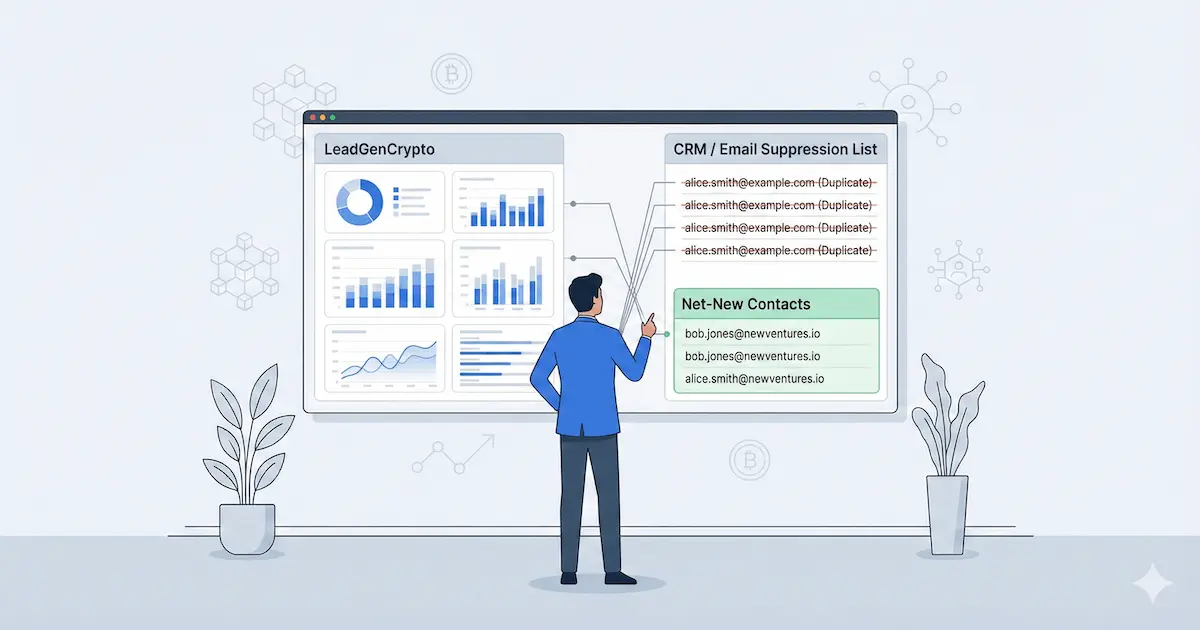
LeadGenCrypto Exceptions let you connect your existing suppression data to LeadGenCrypto, so you do not re-contact the same inbox or re-buy the same project record.
Ready to test it with real data? Get a free lead and set your exceptions before you scale outbound.
- Use LeadGenCrypto Exceptions as your crypto outreach suppression list, not a nice-to-have.
- Add two exception types, email and token URL, to block duplicates at both the inbox level and the project level.
- Refresh exceptions on a weekly cadence, using CRM exports of contacted, unsubscribed, bounced, and not-a-fit records.
- Troubleshoot duplicates by checking formatting, token URL consistency, and whether you are seeing a new contact at an existing project.
- Pair Exceptions with CSV exports and the Public API when you want a cleaner, more automated workflow.
Why suppression and dedupe matter in crypto outreach
In crypto, duplicate outreach is not just annoying. It can look scammy, burn trust with teams that are already defensive, and create messy compliance questions later. A good suppression list is how you keep outbound safe while still scaling coverage.
Suppression is also a compliance best practice, it is not optional. If someone opts out in one system, your goal is to make sure they are suppressed everywhere.
Here are the three outcomes you are protecting:
- Budget protection: you avoid paying twice for contacts you already sourced through events, CRMs, spreadsheets, or other vendors.
- Reputation protection: you reduce the risk of multiple teammates messaging the same project from different tools.
- Compliance protection: you keep opt-outs, bounces, and do-not-contact requests consistent across your stack.
If you want the legal framing (not legal advice), read the compliance guide to buying and using crypto B2B leads.
If you connect a lead source to a messy stack without a suppression layer, you create invisible problems. Duplicate outreach annoys founders and growth leads, and it also raises the chance you miss an opt-out request living in a different tool. Budget waste follows right behind it.
Treat suppression and dedupe as prerequisites to scaling outbound, not clean-up work you do later.
LeadGenCrypto • Growth Intel
Never Miss a Crypto Dealflow Signal
Get one weekly briefing from the LeadGenCrypto team with battle-tested plays for crypto outreach hygiene, suppression list ops, and multi-chain outbound that stays compliant and human.
Practical suppression workflows that stop duplicate outreach before it happens.
Step-by-step recipes for merging scattered contact exports into one clean list.
Clear writing patterns that reduce scam signals in cold campaigns.
Short summaries of new blog posts so your team can scan ideas quickly.
Common sources of overlap
- Event badge scans and conference lead forms.
- Exported lists from trackers and research tools collected by different teammates.
- Old SDR platforms where someone tested sequences and then forgot the list.
- Telegram and Discord exports that later got turned into outreach targets.
- One-off CSVs from partners and vendors that never made it into your CRM.
What counts as a duplicate in crypto outreach
Duplicates are not just "the same email twice". In token-based markets, projects rebrand, rotate inboxes, and change who owns outreach. That is why exceptions support two different kinds of suppression.
Duplicate at the inbox level
Email exceptions are the simplest suppression rule: block a specific inbox from being delivered again.
Use email exceptions when:
- Existing relationship: the inbox is already in your CRM as a customer, opportunity, or prior outbound touch.
- Opt-out signal: the recipient unsubscribed or asked not to be contacted.
- Bounce signal: the mailbox hard-bounced and continuing to send would hurt deliverability.
Duplicate at the project level
Token URL exceptions are a project-level suppression rule: block a project by its token profile URL, even if the project uses multiple inboxes.
Use token URL exceptions when:
- You already have the project in an active conversation and you want zero duplicate touches.
- The project has multiple public inboxes and you only want one thread, one owner, one sequence.
- Your team is seeing the same project reappear because it rotates contact points.
A service provider discovered the same high-value project living across multiple exports and inboxes. Different teammates sent overlapping messages, and the project stopped replying.
After the team centralized suppression and used both email exceptions and token URL exceptions, outreach became calmer and more consistent. They stopped double-contacting the same project and the relationship recovered.
How to upload exceptions step by step
The exact UI labels can change over time, so use the Filters and Exceptions docs as the source of truth.
The workflow below stays the same regardless of which tool you use for sending.
Upload email exceptions
- Export the emails you want suppressed from your CRM and outreach tools.
- Clean the file so every row is a single email address, then lowercase and dedupe.
- Upload or paste the list into Email Exceptions inside LeadGenCrypto.
- Run a small test pull and confirm that known emails are not delivered.
Concrete example of an email exceptions CSV (3 lines, redacted):
email
ops@redactedproject.xyz
founder@redacteddefi.com
- Always keep a master suppression CSV in a shared folder your team can audit.
- Name files with date stamps so rollbacks are simple during incidents.
- Use the master as the only source for future uploads to prevent drift.
- This habit keeps suppression changes explainable to sales, ops, and compliance.
Upload token URL exceptions
- Export or collect the token profile URLs you want suppressed.
- Normalize the URL format so the same project does not appear as multiple near-duplicates.
- Upload or paste the list into Token URL Exceptions inside LeadGenCrypto.
- Confirm that the same project does not reappear under a different email.
If you are unsure which URL string to use, pick the token profile URL you see consistently in your internal notes, then keep it consistent across your team.
- If you suppress only by email, a project can still reappear through another inbox.
- Relying only on token URL can miss sensitive mailboxes you want blocked everywhere.
- Combine email exceptions and token URL exceptions so outreach stays focused and respectful.
- Treat filters as focus tools, and exceptions as hygiene tools.
Recommended workflow
The simplest operational model is weekly, not quarterly. Suppression is a living system because your outreach and replies change every week.
Weekly refresh routine
- Pull a CRM export of contacts touched in the last 7 to 14 days.
- Add new opt-outs, bounces, and not-a-fit replies to your suppression file.
- Upload the updated list to LeadGenCrypto Exceptions before running new pulls.
- Keep a short changelog note so you can explain why volume changed week to week.
When to add to suppression
Add contacts to suppression as soon as any of these happen:
- Unsubscribe request: the recipient opts out, or explicitly asks not to be contacted.
- Hard bounce: the inbox is invalid, and repeated sending will harm deliverability.
- Not a fit: the project tells you they are not hiring your service type.
- Existing opportunity: a live deal is already in flight and you want a single owner.
- Current customer: you do not want cold sequences hitting an active client.
- Sensitive request: legal or security teams ask for do-not-contact handling.
A small agency started with a tight suppression list and a tiny daily pull, and they reviewed each lead manually for a few days. That gave the team confidence that exceptions were working.
Once the workflow felt stable, they increased volume gradually while keeping the same weekly suppression routine. The scaling step was boring, which is the goal.
- Capture screenshots of Filters and Exceptions whenever you change targeting or upload a new file.
- Store them next to your suppression CSV and your SOP.
- Visual history reduces "what changed?" confusion during audits and troubleshooting.
- This is especially helpful when more than one person can edit settings.
Troubleshooting
Most "duplicates" come from formatting issues or from mismatched definitions of what counts as duplicate.
Common mistakes to check first
- Whitespace and casing: emails with extra spaces or mixed casing do not always match as expected.
- Multiple URL formats: token URLs can differ by tracking parameters or alternate domains.
- New contact at the same project: a different email at the same project is not an email duplicate, but it might be a project duplicate.
- Partial suppression list: you only uploaded one source, and other tools still hold outreach history.
A team reported duplicates after connecting a new lead source. On review, the problem was their CRM import logic. It created a new project record whenever one field changed, instead of matching on stable identity signals like domain and token profile URL.
After they fixed matching rules and kept suppression updated, the duplicate complaints stopped.
- Tight filters plus a strong suppression list can produce zero delivered leads.
- Do not loosen everything just to see volume, that usually reintroduces noise.
- Treat zero delivery as a signal you already own that slice of the market.
- Expand coverage only with a clear hypothesis and a way to measure results.
Where this fits in a CRM workflow
Think of LeadGenCrypto as your discovery layer, and Exceptions as the boundary that keeps discovery from colliding with existing relationships.
A simple, repeatable pipeline looks like this:
- Pull leads from LeadGenCrypto via CSV exports.
- Deduplicate against your suppression lists before sending. Pair with a validation and suppression workflow for full hygiene.
- Route net-new leads into your CRM with one owner and one next action.
- Update suppression based on replies, opt-outs, bounces, and qualification outcomes.
If you want the full pipeline view, use the CRM pipeline for crypto outreach.
Table 1: Identity signals and their role in dedupe
| Signal Type | Strength for Matching | Recommended Use in Merging and Deduplication |
|---|---|---|
| Website domain | Strong | Primary project match, pair with token profile URL when possible. |
| Token profile URL | Strong | Confirms project identity across rebrands and naming changes. |
| Contract or token address | Strong with chain context | Anchor for on-chain objects and network-specific segmentation. |
| Primary email | Strong at contact level | Main dedupe key for contacts, pair with project identity. |
| Role-based email | Medium | Use carefully, define a consistent policy for suppression and routing. |
| Project name | Weak | Helpful for search and display, not for authoritative matching. |
| Social handle | Medium | Useful enrichment, avoid using alone as a dedupe key. |
Table 2: Team size vs a simple integration pattern
| Team Profile | Integration Pattern | Key Benefits for Outreach Ops |
|---|---|---|
| Solo freelancer or tiny agency | Manual CSV export and import, weekly suppression updates | Maximum control, minimal tooling overhead, easy troubleshooting. |
| Growing agency or revenue team | Automated intake plus scheduled suppression refresh | Consistent volume, reduced manual work, fewer duplicate touches across teammates. |
| Enterprise or multi-team org | Warehouse-first matching, then curated pushes into tools | Central governance, strong compliance, unified suppression and identity rules. |
Frequently Asked Questions
Do I need both email exceptions and token URL exceptions?
They solve different problems. Email exceptions block specific inboxes. Token URL exceptions block the project identity even if the inbox changes. If you do outbound at scale, most teams end up using both.
How often should I refresh my suppression list?
Weekly is a good default for active outbound teams. Monthly can be enough if you send in smaller bursts. The right cadence is the one that keeps opt-outs and not-a-fit replies from slipping into future campaigns.
What should I do if I still see duplicates?
Start by checking formatting and identity consistency. If it is a new email at an existing project, decide whether that is valuable or whether you want to suppress the entire project using token URL exceptions.
Where does the Public API fit?
If you want to automate lead intake into your CRM, the Public API can replace manual CSV pulls. You still keep Exceptions as your hygiene layer, so automation does not create duplicate outreach.
Next step: if you are ready to automate intake, review the Public API docs. To have an AI agent pull leads on a schedule, use the OpenClaw and LeadGenCrypto integration guide.