Find Token Projects on CoinGecko to Pitch Your Services

Note: This guide is for agencies and service providers selling services to crypto projects. It is not a guide for token issuers looking for investors or token buyers.
This is a CoinGecko-specific workflow for turning discovery views (new listings, trending, categories) into a clean outreach list you can actually use.
Who this is for
- Agencies and service providers building an outbound pipeline to token projects.
- Teams that want a repeatable research routine, not random scraping.
- Not token issuers trying to market a token or find buyers.
The workflow at a glance (5 steps)
- Pick a discovery view (new, trending, categories) based on your offer timing.
- Qualify quickly so you avoid dead sites, low-effort launches, and unreachable teams.
- Extract contacts from the website, docs, and socials (email or Telegram).
- Clean the list with dedupe rules, tags, and notes for personalization.
- Run a small outreach test before you scale.
CoinGecko is public, so good projects get contacted quickly. Your edge is relevance: a specific observation, a clear offer, and a respectful opt-out.
CoinGecko vs CoinMarketCap (fast comparison)
CoinMarketCap and CoinGecko can both surface new token projects, but they are useful in different ways.
| Use case | CoinGecko is strong when you want | CoinMarketCap is strong when you want |
|---|---|---|
| Discovery angle | Narrative and attention signals (trending searches, categories) | Directory-style browsing and listing updates |
| Targeting mindset | Follow themes that match your service (AI, DeFi, L2, gaming, etc.) | Track listings and compare basic market data across pages |
| Recommended guide | You are here | Read the CoinMarketCap workflow for service providers |
If you want earlier on-chain signals for a specific ecosystem, add on-chain prospecting with BscScan as a second sourcing channel. For early pairs across DEXs before they appear on CoinGecko, use the DexScreener New Pairs workflow.
Step 1: Choose your CoinGecko discovery path
Start with one path, then add a second path once your pipeline is stable.
CoinGecko views cheat sheet
| View | Best for | How to use it in outreach research |
|---|---|---|
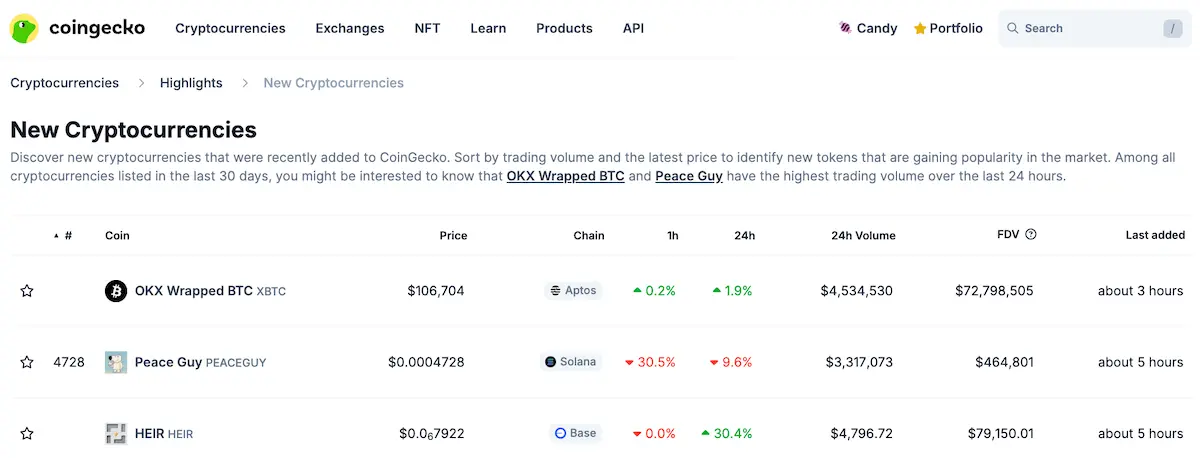
| New Cryptocurrencies | Fresh additions you can contact early | Open the project profile, then click through to the official website and socials |
| Trending Crypto | Projects getting sudden attention | Look for why it is trending, then tailor your first line to that moment |
| Categories | Sector-based prospecting (narratives) | Pick 1 to 2 categories that fit your offer, then scan for newer or under-marketed teams |
| Trending Categories | Hot narratives, fast | Use it to decide which category to focus on this week |
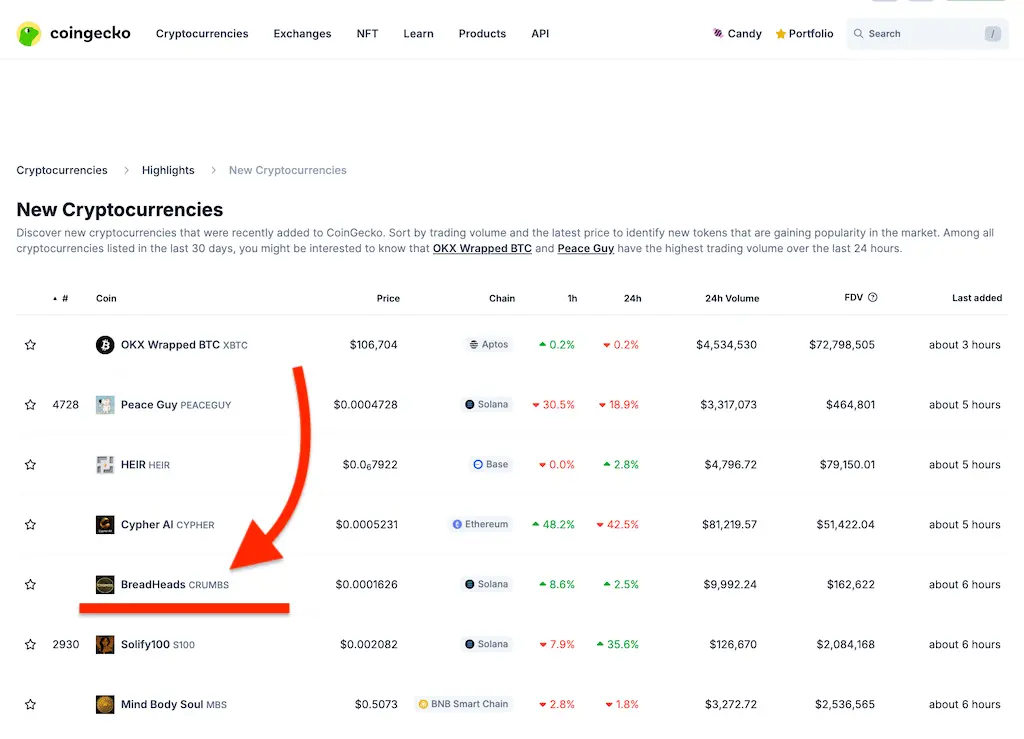
Practical tip: save one "default" view (often New Cryptocurrencies) and one "narrative" view (Categories or Trending Categories). That lets you balance timing and fit.
Step 2: Qualify projects quickly (without overthinking)
You are not trying to perfectly predict winners. You are trying to avoid obvious time-wasters and focus on teams that look reachable.
Here is a fast qualification pass you can run from the CoinGecko profile plus a 2-minute website scan:
| Check | Healthy signal | Risk signal |
|---|---|---|
| Website link | Loads, has a clear product story | Missing, broken, or parked domain |
| Documentation | Basic docs exist (docs site, GitBook, litepaper) | No docs, or only a meme caption |
| Social presence | Recent posts and clear ownership | Silent channels or bot-like noise |
| Market activity | Some visible trading activity | No activity, or a chart that looks abandoned |
| Verification | Team or company identity is at least partially visible | No names, no company details, no way to verify |
If a project shows multiple risk signals, it can still be real. It is also a tougher sell, so keep moving and protect your time.
Step 3: Extract contacts (website, email, Telegram)
The CoinGecko profile usually gets you to the right destination fast. From there, your job is to find a real inbox or a real operator to talk to.
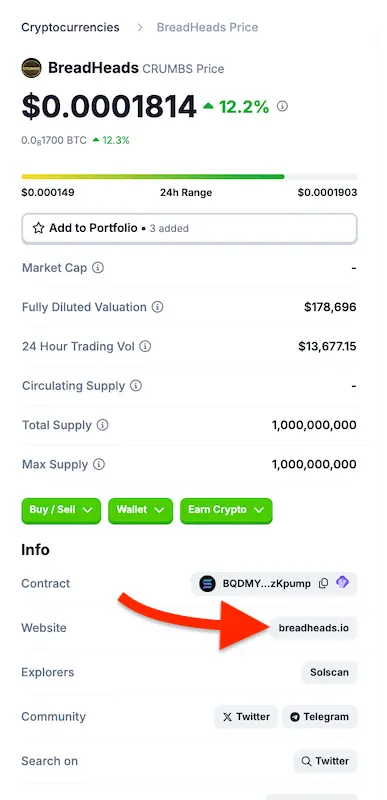
Work through this contact order:
- Website footer: look for a direct email, a contact page, or a press or partnerships inbox.
- Legal pages: open Terms or Privacy, then search for
@. - Docs and whitepaper: search for "contact", "partnerships", and "business".
- GitHub or dev docs: check README files for maintainer contact paths.
- Telegram or X: if the site has only chat, ask once for the right email to send a partnership note.

Keep your outreach compliant and respectful. If someone asks you to stop, add them to suppression and do not contact again.
Step 4: Build a clean list (dedupe + notes)
The fastest way to burn time is to create a messy spreadsheet you cannot action. Keep the list small, clean, and specific.
Data hygiene checklist
- Deduplicate by website plus contract address (when available).
- Tag chain and category so you can segment later.
- Capture one observation you can reference in a first line.
- Store a "last checked" date so you know what is stale.
- Prefer a real operator inbox when possible, but do not force it if the team is tiny.
A simple sheet is enough at the start:
| Added | Project | Website | Contact | Notes | Status |
|---|---|---|---|---|---|
| 2026-02-10 | Example Project | example.com | hello@example.com | Missing audit or docs link on homepage | Not contacted |
If you want the bigger picture on list decay and why static databases fail in crypto, read: Crypto projects contact lists: why static databases fail
Mid-workflow CTA: compare manual research vs a delivered lead
If you want to sanity check your manual process, start with one free lead and compare the fields you collect by hand (website, chain, token address, verified emails, and Telegram when available): /docs/core-features/leads/
Step 5: Run a small outreach test (then iterate)
Before you scale, test your positioning and your list quality with a small batch. A simple goal is to learn what gets replies, not to blast the market.
Start with 25 to 50 contacts that match one offer and one segment. Then run a short sequence.
Here is a safe first-touch structure (service provider focused):
- Subject: Quick question about
{tokenName}on{blockchain} - Opener: Saw
{tokenName}on CoinGecko and checked{website}. - Observation: I noticed one quick gap (example: no audit section, unclear roadmap, or missing "how it works" page).
- Offer: We help token projects with [your service], usually by shipping a short audit and a prioritized fix list.
- Micro-CTA: Want me to send the 3-point audit for
{tokenName}?
For a full crypto-native cold email protocol (including trust cues and follow-ups), use: Cold email to crypto projects, step-by-step for service providers
Where LeadGenCrypto fits (optional)
If manual CoinGecko research is taking too long, LeadGenCrypto can act as a daily intake layer for token projects.
Supported workflow pieces:
- Verified project contacts delivered daily (website, token address, blockchain, token name and symbol, verified email, and often Telegram).
- Export to CSV for list building and outreach ops.
- Filters by blockchain network so you only receive the ecosystems you sell into.
- Email and token URL exceptions so you avoid duplicates and protect budget.
The simplest starting point is the free lead entry point: /docs/core-features/leads/
LeadGenCrypto • Blog & Newsletter
Stay Sharp on Crypto B2B Sales
Timely updates and practical sales advice for teams selling services to crypto projects. Useful resources delivered straight to your inbox.
- Quick summaries of our latest articles so you can skim in minutes
- Actionable ideas to boost sales and reply rates
- No hype. Unsubscribe anytime with one click
Next steps (a simple plan)
To connect CoinGecko discovery to a full pipeline (CRM, outreach, measurement), use the acquisition system from sourcing to revenue for service providers.
- Pick one discovery path from the cheat sheet and use it for a week.
- Qualify fast, then save only projects you would actually pitch.
- Build a clean sheet with one useful observation per project.
- Send a small test batch, then refine the offer and first line.
Good outreach in crypto is boring on purpose. It is specific, respectful, and consistent.