Find Token Projects on BscScan: 3-Stage Outreach Funnel

This guide is for agencies and service providers that sell services to token projects. It is not a guide for token teams looking for investors or token buyers.
If you work the BNB Smart Chain ecosystem, BscScan can be an early discovery source because token pages often include off-chain links you can use for outreach. The tradeoff is that explorers are noisy, so you need a simple filter, a quick qualification pass, and clean dedupe rules before you send anything.
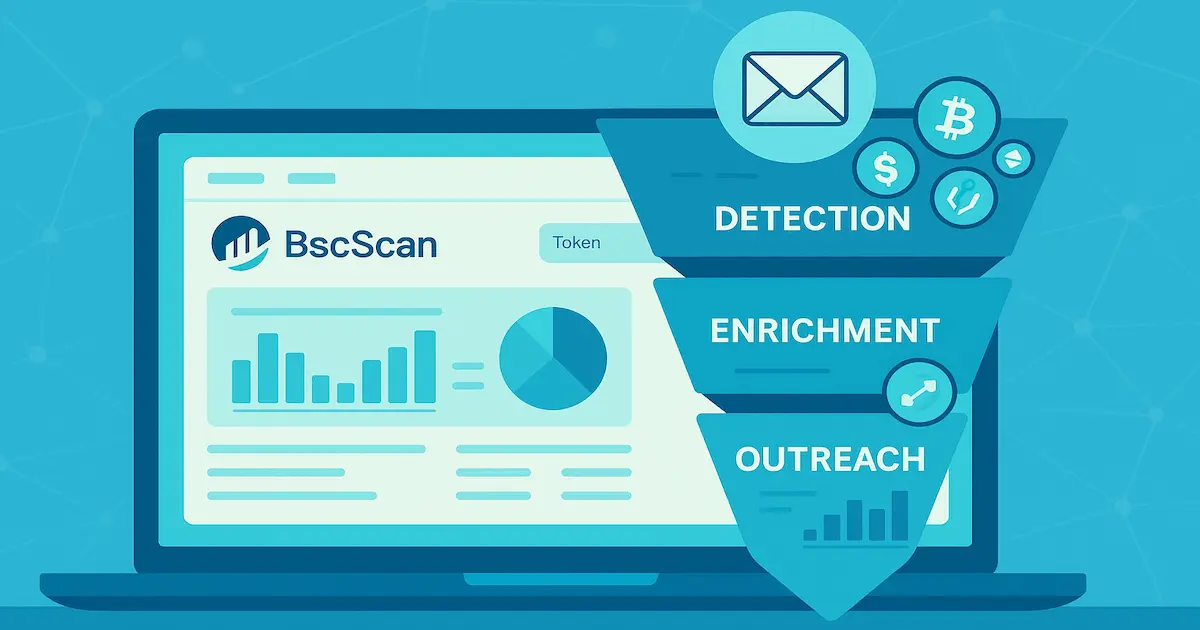
You will use a 3-stage funnel:
- discover new contracts and activity,
- qualify projects fast (scam-sensitive),
- turn the best candidates into contacts (website, email, Telegram) and launch a small outreach test.
Who this is for
This workflow is a good fit when you sell services like PR, growth, audits, listings support, market making, analytics, or tooling to BSC token projects.
It is a poor fit when your offer depends on guaranteed budgets, investor introductions, or aggressive volume sending.
What BscScan is good at (and not good at)
| Good at | Not great at |
|---|---|
| Showing contract-level activity in public, without waiting for aggregators | Proving project legitimacy or team identity on its own |
| Helping you spot very early launches and sudden activity spikes | Giving you consistent categories, funding info, or clean company profiles |
| Surfacing official links when teams fill in token metadata | Preventing scam tokens from appearing in the first place |
Stage 1: Discover new contracts and token activity
Use BscScan for discovery in two complementary ways, then move to Stage 2 quickly.
Discovery path A: start from the tokens directory
Open the tokens list on BscScan, pick a small batch of unfamiliar tokens, then click through to each token page to inspect the basics (holders, transfers, contract tab, and links).
Discovery path B: start from activity
Look for tokens that show recent transfer activity and a growing holder count, then verify the contract page before you treat it as a real prospect.
A quick shortlist of discovery signals
- Contract age: newer deployments often mean earlier outreach windows.
- Holder count trend: growth can signal active distribution, or hype, so confirm with other checks.
- Transfer cadence: steady usage is usually a better sign than a single burst.
- Contract verification: a verified contract is not a guarantee, but it raises the floor for diligence.
On-chain signal glossary (quick definitions)
| Term | What it means in practice | How it helps outreach |
|---|---|---|
| Contract address | The on-chain identifier for the token contract | Use it as your primary key for dedupe and enrichment |
| Deployer | The wallet that created the contract | Helps you trace related deployments and patterns |
| Holder count | Number of unique addresses holding the token | Useful as a rough traction proxy, not a budget indicator |
| Token transfers | Movement events recorded on-chain | A quick read on activity and usage patterns |
| Verified contract | Source code is published and verified on the explorer | Makes review easier, still not a trust guarantee |
| Proxy contract | Contract that can be upgraded by an admin | Extra caution, changes can alter behavior after launch |
| Ownership | Admin control functions (often shown under contract read/write) | A prompt to check for centralized control risk |
| Minting | Ability to create new supply (if present) | Flags tokenomics risk and communication complexity |
| Liquidity pool | A DEX pool where the token can be traded | Can hint at launch maturity, details often require extra sources |
| LP tokens | Tokens representing liquidity provider positions | Relevant when evaluating liquidity depth, not always visible cleanly |
Stage 2: Qualify projects fast (scam-sensitive)
Explorers surface everything, including low-effort launches and scams. Qualification is how you protect your team, your brand, and your sender reputation.
A fast qualification checklist (on-chain and off-chain)
- Confirm the contract tab shows a verified contract or, at minimum, consistent metadata and activity.
- Review top holders for extreme concentration that suggests a single wallet can control outcomes.
- Check for proxy patterns or admin controls that could change behavior after launch.
- Open the project website and look for a real product narrative, not only token price talk.
- Scan the whitepaper or docs for basic clarity, including what the token does and for whom.
- Verify social channels are active and consistent with the website branding.
- Skip tokens that use hype-first promises in public channels, since those teams are often high-risk for vendors.
Do not use BscScan discovery as a reason to send hypey pitches or implied financial claims. Keep outreach about your service outcomes, add an opt-out, and treat this workflow as lead research, not investment advice.
Stage 3: Turn on-chain projects into contacts
Once a project passes your checks, collect contact data in a way that stays traceable and easy to dedupe.
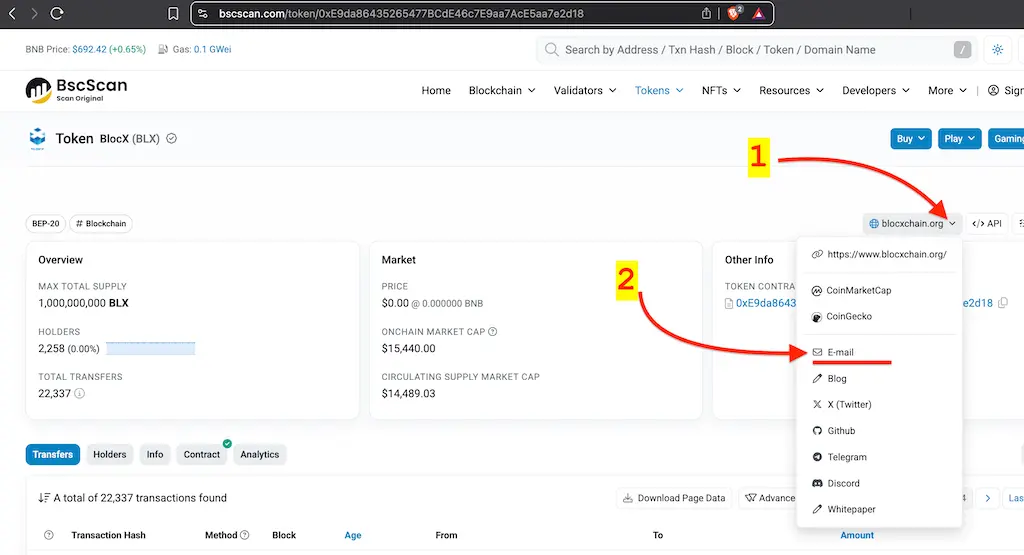
How to pull the official email (manual, fast)
- Open the token page on BscScan using its contract address.
- Find the Social Profiles dropdown on the right-side panel.
- Copy the official email if it is listed, then capture the website and Telegram links from the same panel.
- Save the token page URL in your CRM notes so you can re-check it later.
Dedupe rules before outreach
- Prefer token address as the unique identifier for a project, since names and symbols can change.
- Use the website domain as a secondary key, because multiple tokens can share one company site.
- Suppress contacts that bounced, opted out, or asked you not to follow up.
- Avoid sending to multiple aliases on the same domain in the same week.
If you want to focus on specific chains and prevent duplicates across sources, use Filters and Exceptions before scaling outreach: /docs/core-features/filters-and-exceptions/
Outreach launch plan (small test)
Start small, aim for relevance, and measure before you scale. A tight test list is usually better than a huge scrape.
A simple first email pattern is to reference what you saw, then ask for a micro-yes:
- Subject: Quick question about
{tokenName}on{blockchain} - First line: Noticed
{tokenName}({tokenSymbol}) at{tokenUrl}, and saw the official contact listed on BscScan. - CTA: Would it be helpful if I shared a 2-sentence plan for improving your next launch milestone?
For the full outreach protocol, including sequencing and deliverability guardrails, use this guide: cold email to crypto projects step-by-step for selling services.
Alternatives to BscScan (useful when you need more context)
Some teams pair BscScan with aggregator workflows so they can cross-check basics and source contacts faster:
- CoinMarketCap workflow: find token projects on CoinMarketCap to pitch your services
- CoinGecko workflow: find token projects on CoinGecko to pitch your services
- DexScreener workflow: find token projects on DexScreener New Pairs when you want early pairs across multiple chains
Where LeadGenCrypto fits (optional)
If manual collection is too slow, LeadGenCrypto is designed to deliver verified contacts for newly launched token projects daily, with fields like website, {tokenAddress}, {blockchain}, {tokenName}, {tokenSymbol}, verified email(s), and often Telegram. For list quality principles (and why static databases decay fast), see: why static crypto email lists fail.
LeadGenCrypto • Blog & Newsletter
Crypto B2B Sales Digest
Timely updates and practical sales advice for teams selling services to crypto projects. Useful resources delivered straight to your inbox.
- Quick summaries of our latest articles so you can skim in minutes
- Actionable ideas to boost sales and reply rates
- No hype. Unsubscribe anytime with one click
Key takeaways
- BscScan can surface early BSC token projects, plus links you can use to build an outreach list.
- Qualification protects your brand, since explorers include low-effort launches and scams.
- Dedupe matters, so route by token address and maintain a suppression habit before you scale.